Default Wetland
A synthetic wetland in the browser that registers the people who walk through it. Movement becomes a presence trace, sustained looking becomes attention exposure, and the traces settle into the ground like sediment, rewriting the map.
- Year
- 2026 · interactive art research, browser prototype, in development
- Type
- Interactive · Web · Generative
- Tools
- TypeScript · three.js · WebGL2 · ComfyUI · SDXL · ControlNet · fal
What happens when a world remembers where you walked, where you stopped and what you looked at, and you come back to it?
The wetland registers its participants. Movement becomes a Presence Trace; sustained looking becomes Attention Exposure. Accumulating frame by frame, these traces settle into the environment like sediment. As they gather, the terrain grows, seals over, shifts condition or becomes water. Each wetland begins from a single seed and is gradually rewritten by the people who pass through it.
Entering the wetland
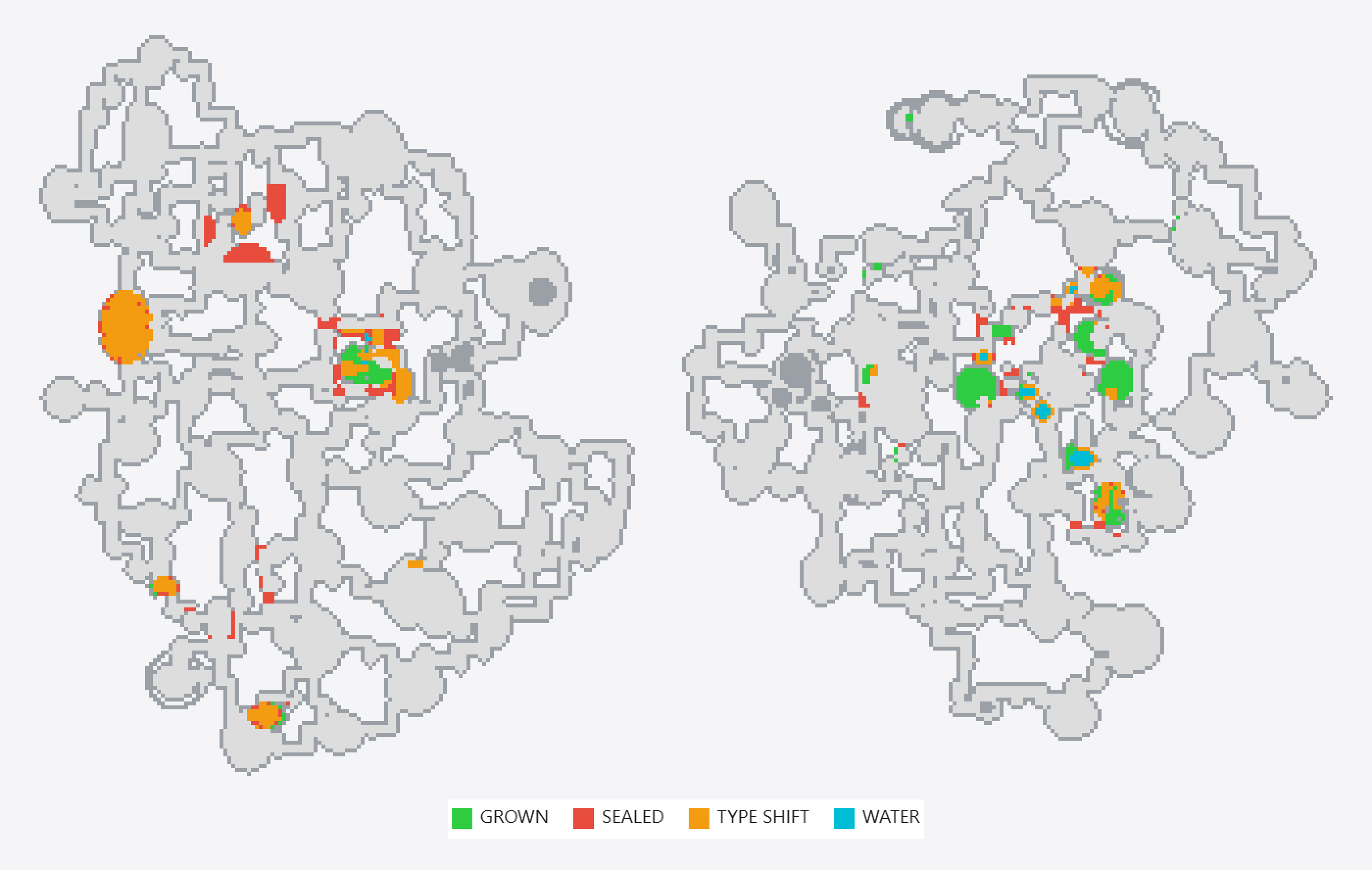
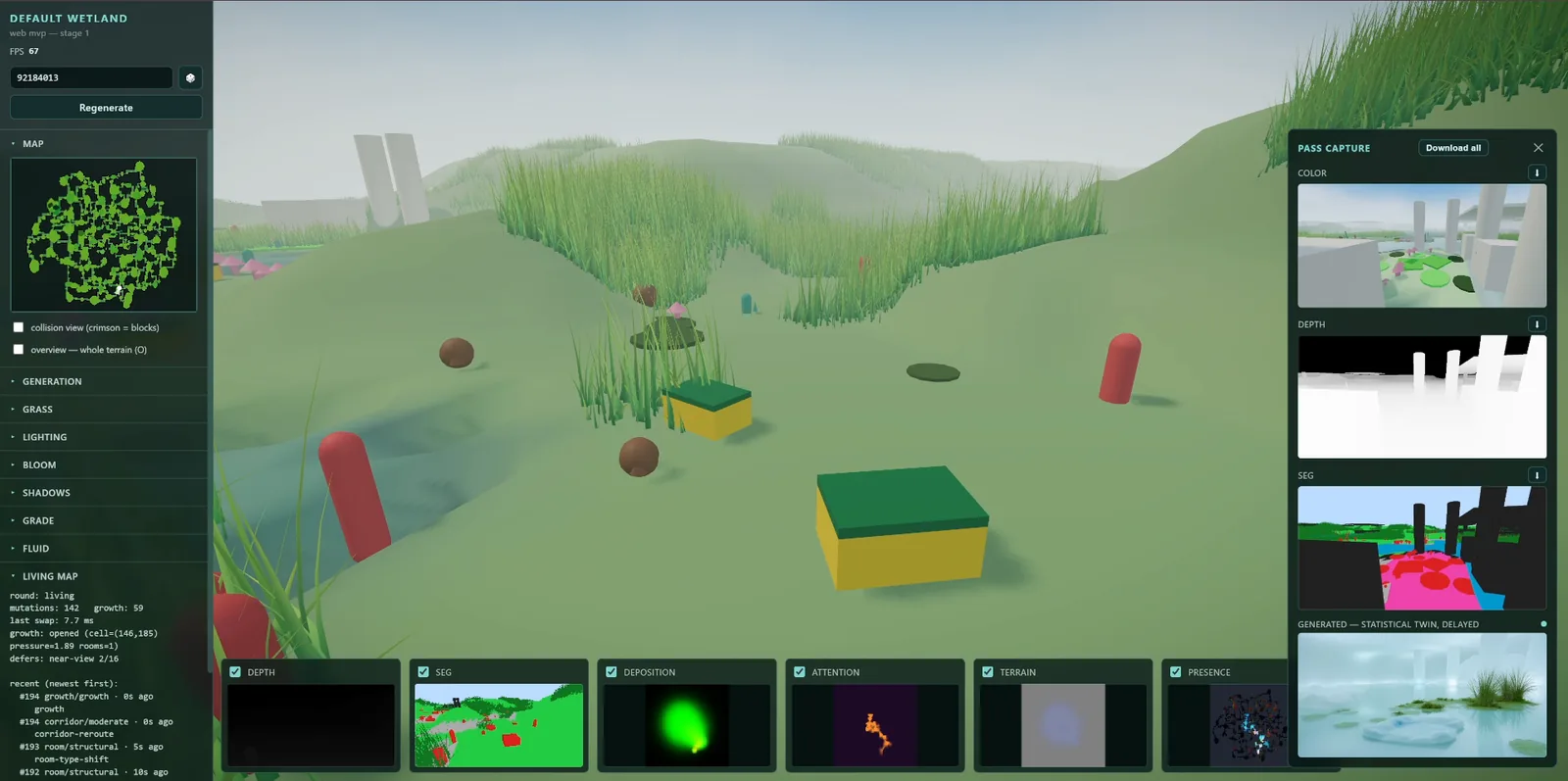
You move in first person, with the mouse and WASD. A live overlay reads the wetland's state back as you go: presence, attention and deposition, the terrain, a top-down map, and white frames marking the places that have just changed in response to you. The recording at the top is one walk out and back.
Each wetland grows from one seed: rooms, lakes, huts and corridors are laid out and joined into a network, then grassed, flooded and scattered with things that do not belong in a marsh: lily pads, mushrooms, kitchen sponges, fake lawn.
What the wetland remembers
Four fields run under the map at once.
- Presence. Walking stirs a fluid simulation laid over the map. It drifts along the corridors and fades within seconds.
- Attention. Wherever you face, a 30° cone fills a 512² map. It fades over about a minute.
- Deposition. Movement and stillness both accumulate and never fade. Standing still counts for more than passing through.
- Terrain. Worn paths sink, places you dwell in get wetter, and enough moisture pools into standing water.
Once enough presence has built up, the wetland starts to change. A room can open behind an edge you keep visiting; a remote room nobody visits seals or changes type; corridors reroute. The bigger the change, the longer a place has to go unseen first. Props grow and wilt in plain sight, but rooms and corridors only ever change outside the view: you notice it when you come back. What you looked at most makes those things, and those kinds of room, more likely next. The system follows no predetermined sequence.
The slow fields, the map and its log are saved in the browser, and come back the next time the same seed opens.
The image it is reaching for
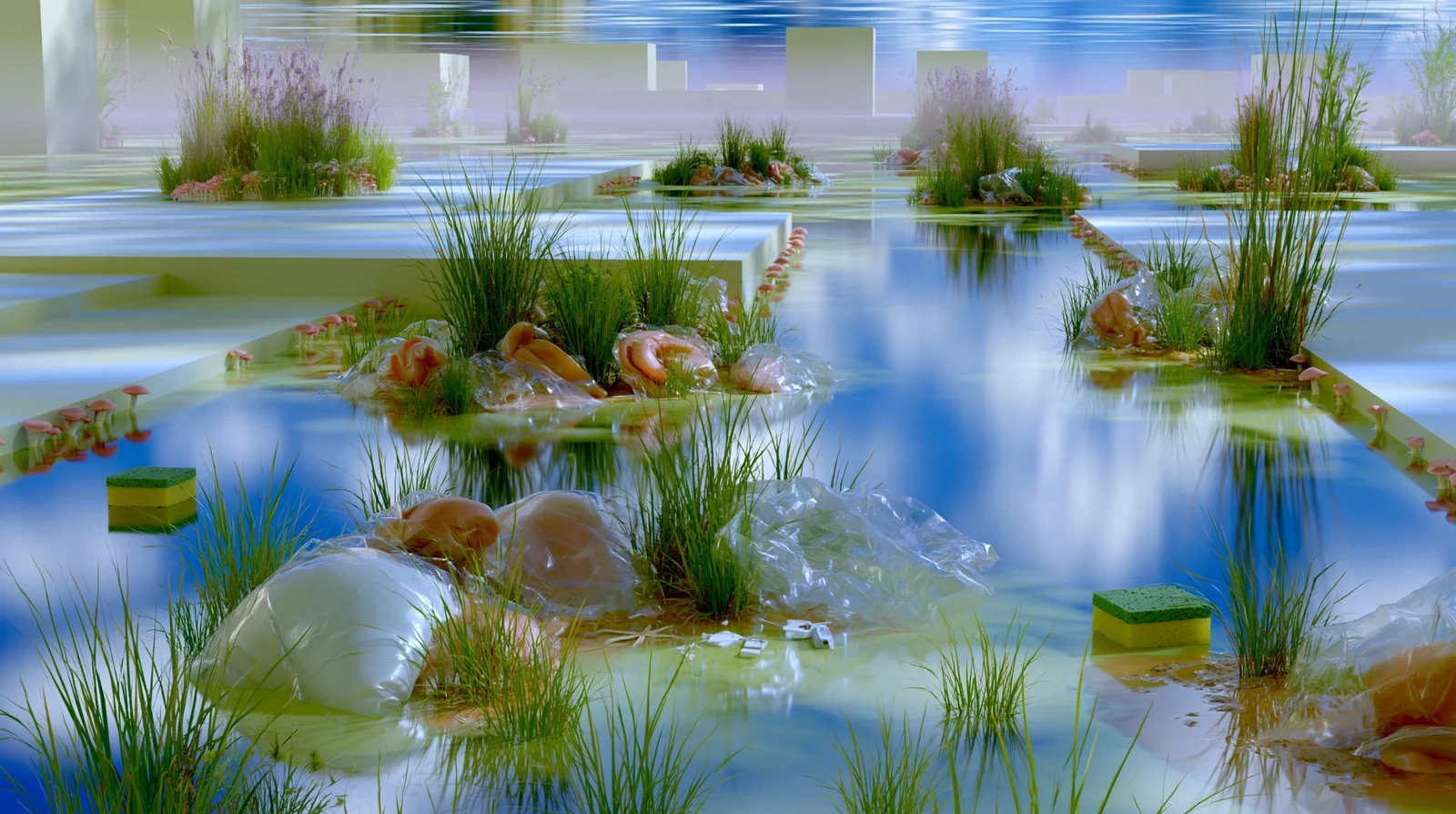
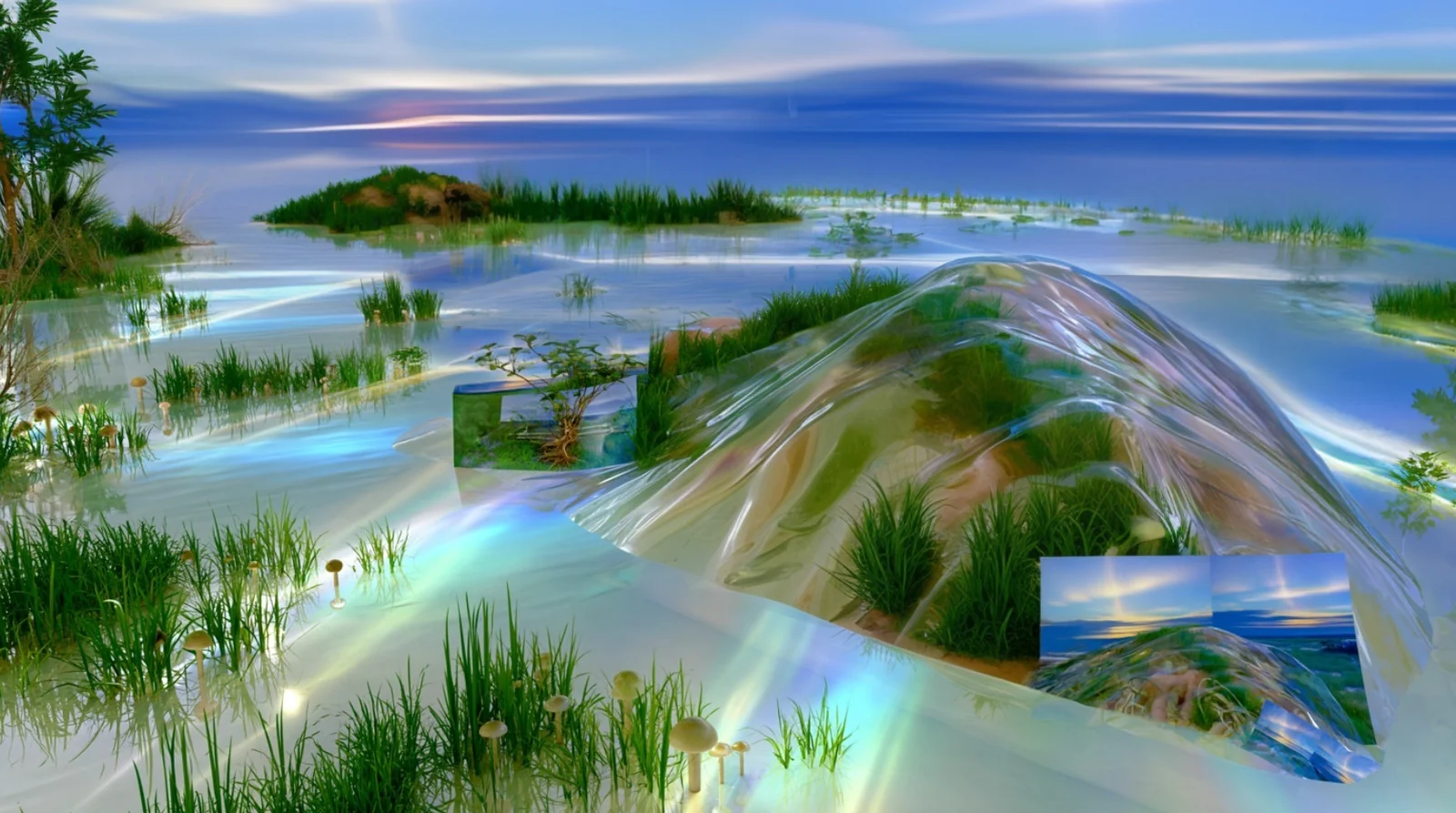
Default Wetland draws on Frutiger Aero, a visual language shaped by the technological optimism of the early 2000s. Reintroduced through internet nostalgia and AI image generation, its glossy aquatic surfaces no longer belong to the future they once promised, but continue to circulate through computational copying, compression and regeneration.
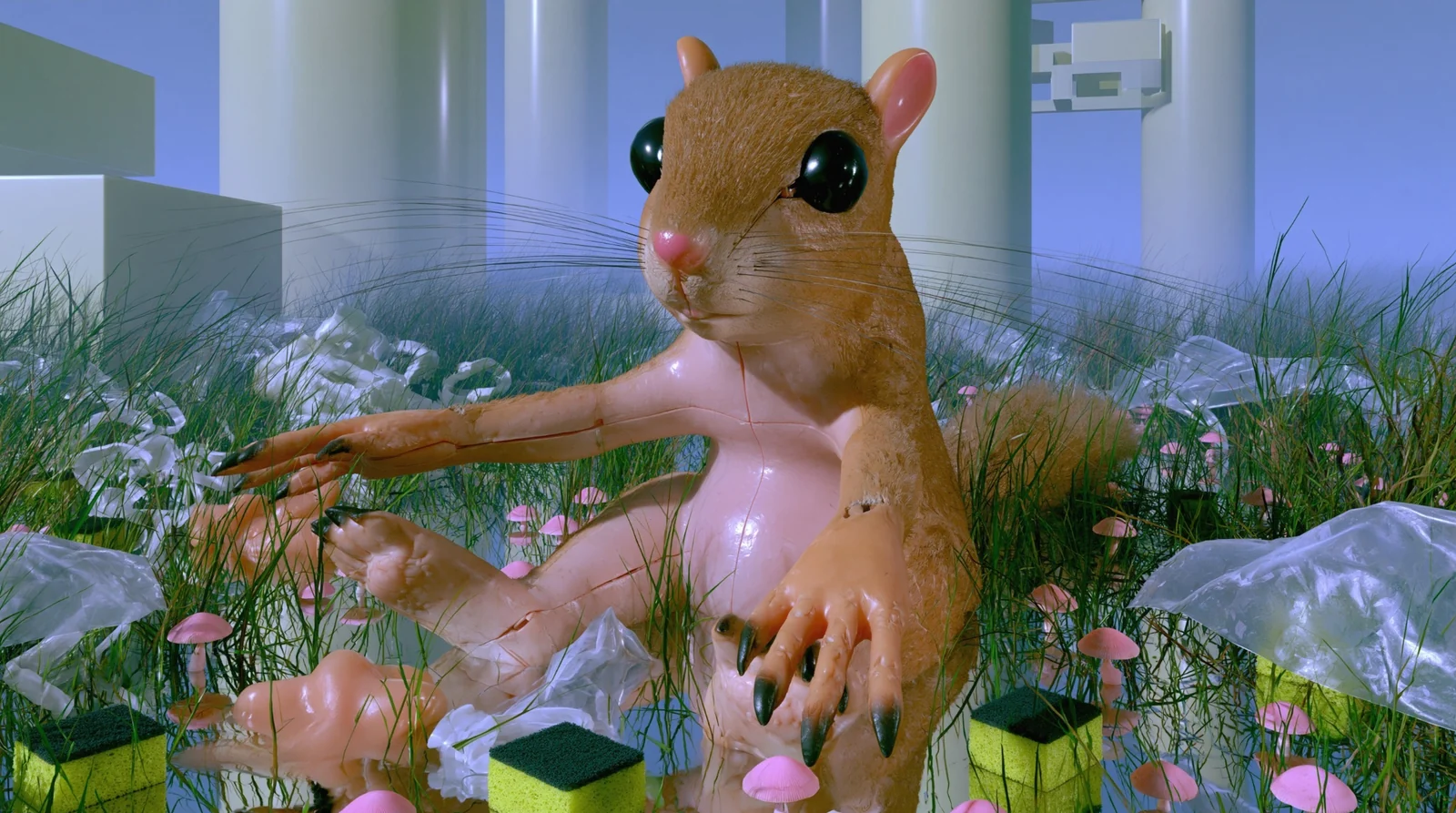
Default describes a condition that presents itself as neutral while remaining structured by control: model training, interface design, asset libraries, system rules. The wetland appears familiar but unplaceable, assembled from reflective water, plastic surfaces, soft membranes, vegetation, hardware fragments, everyday objects and generated creatures. Interior and exterior, natural and artificial, image and object remain unresolved.
AI operates as both infrastructure and material. Training compresses vast image histories into statistical structures, while inference continually resamples them. Rather than producing images from nothing, the system recomposes existing visual traces, and every new image emerges from an environment already shaped by the people who walked through it.
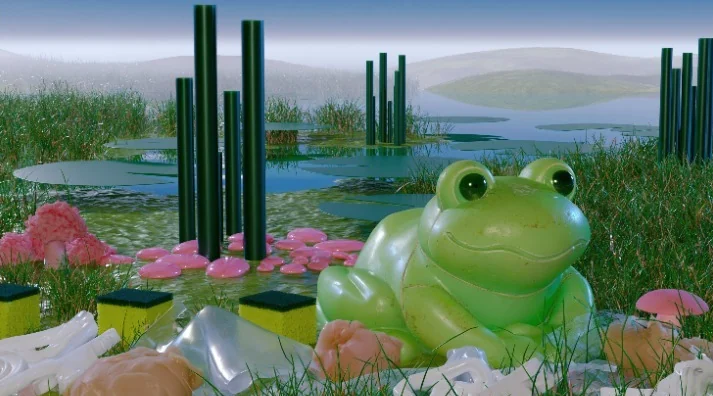
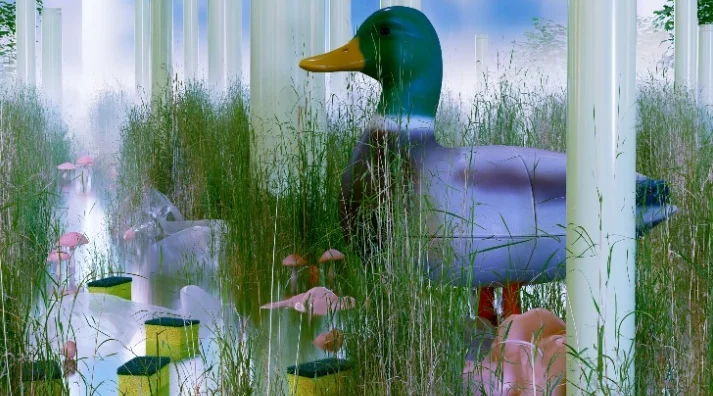
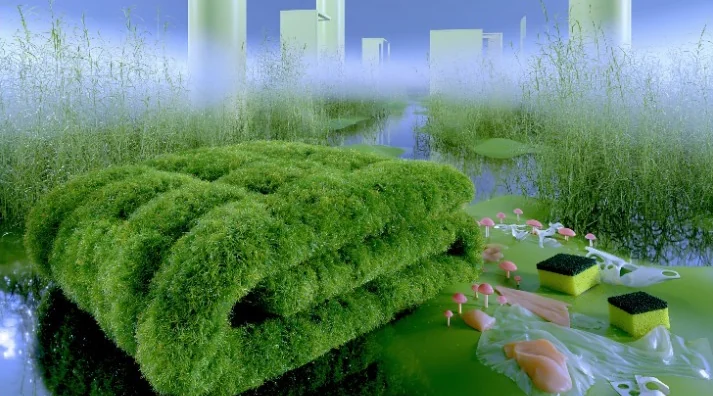
From the view to an image
The live pipeline is not finished. What works today: press G and the current view is rendered three ways from the same camera, as colour, depth and segmentation. Segmentation is by category, not by object: eleven flat colours, one for each kind of space or surface, and one shared by every prop. The depth and segmentation maps go to an image model, one image per press. So far that is a local ComfyUI server running SDXL with a ControlNet reading both maps, or fal's Flux depth model reading depth alone.
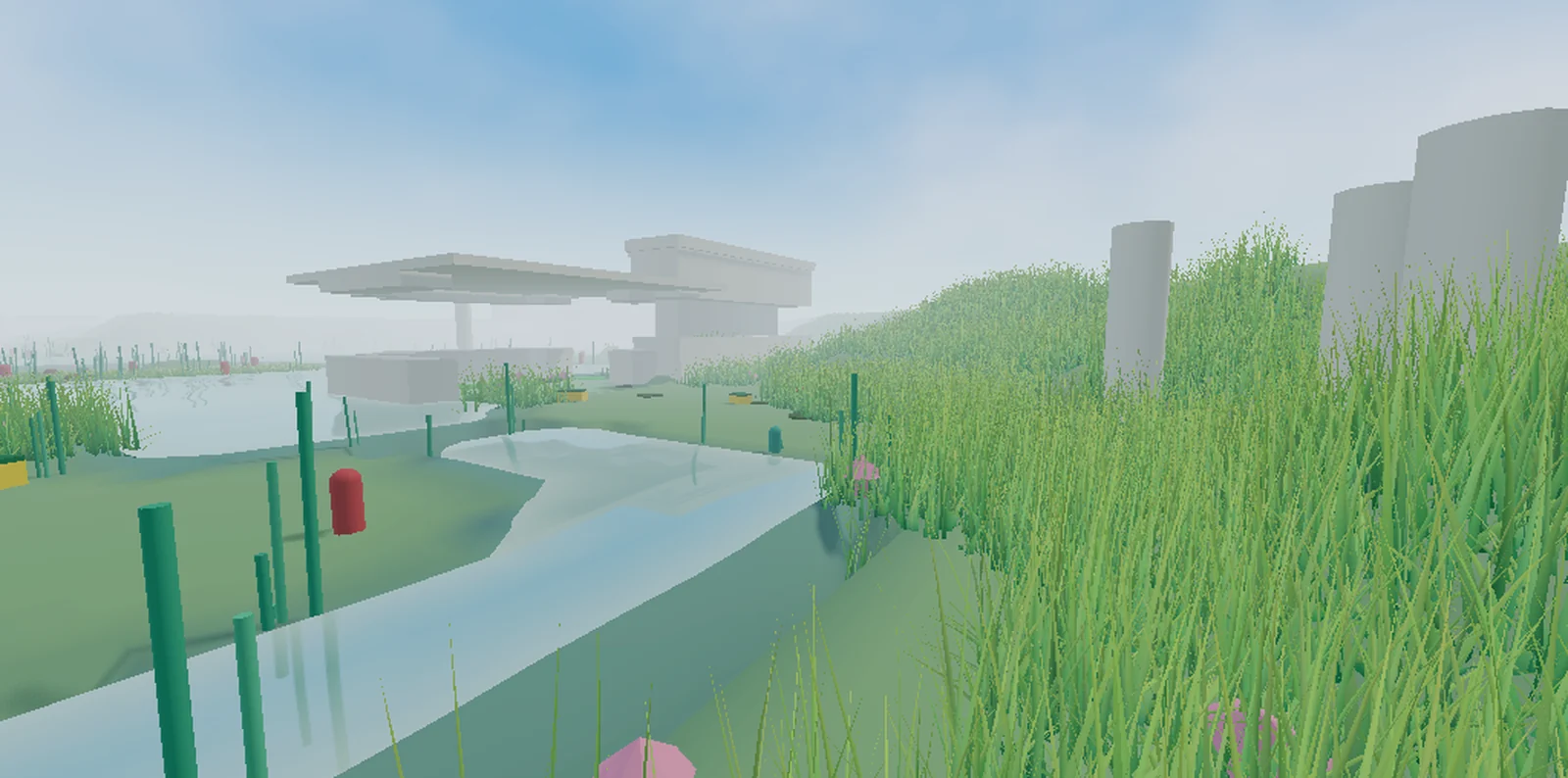
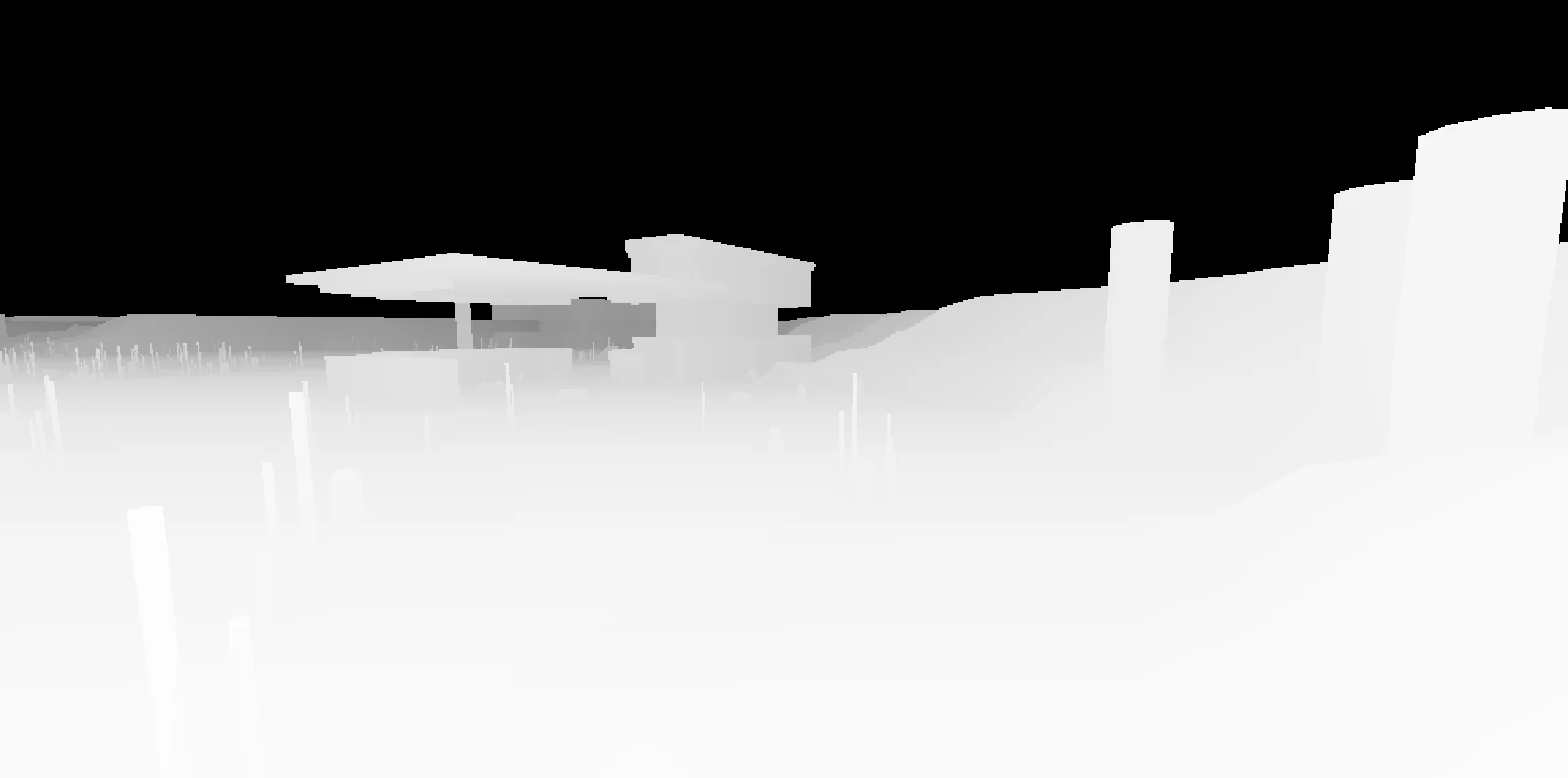
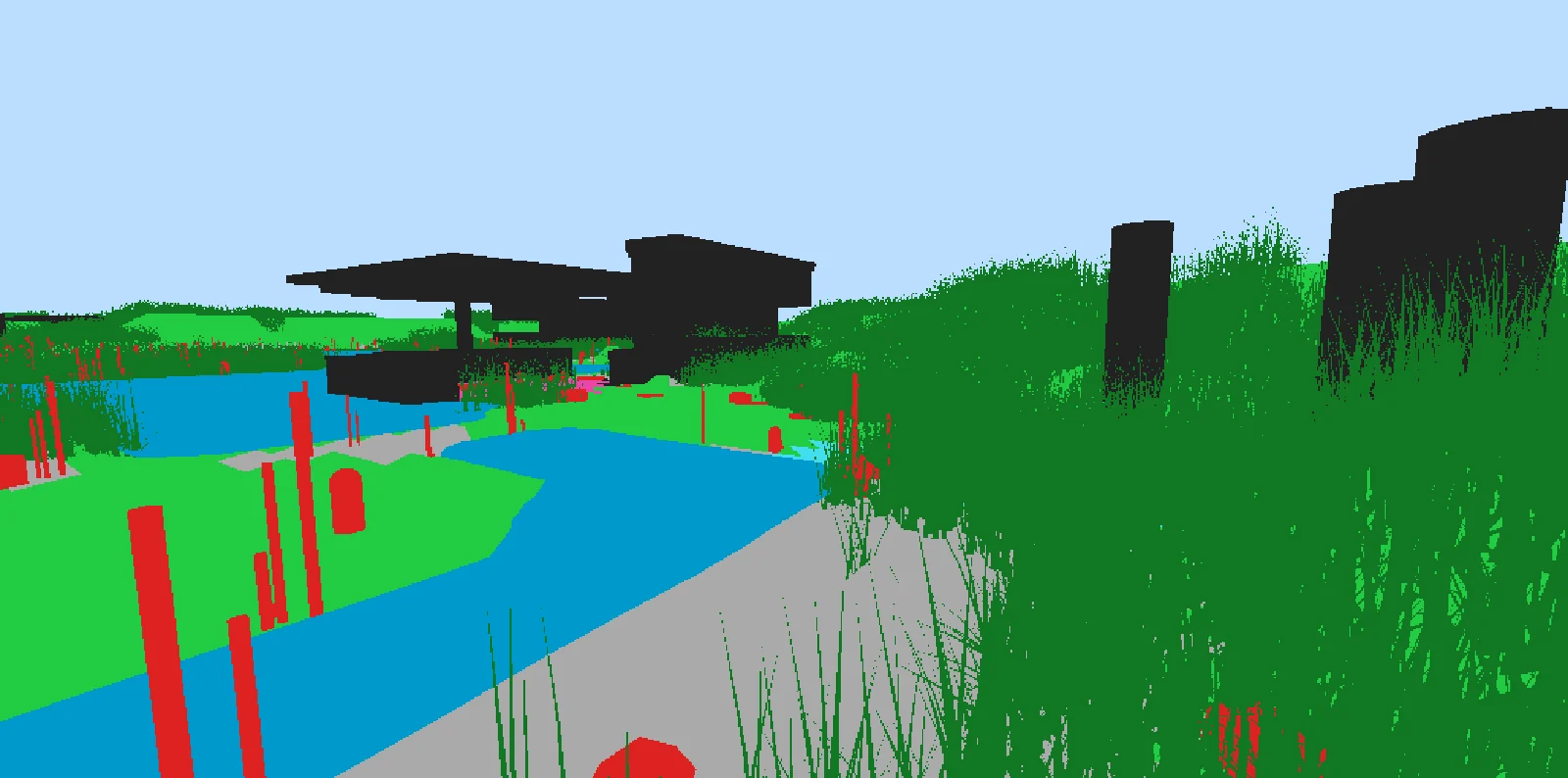
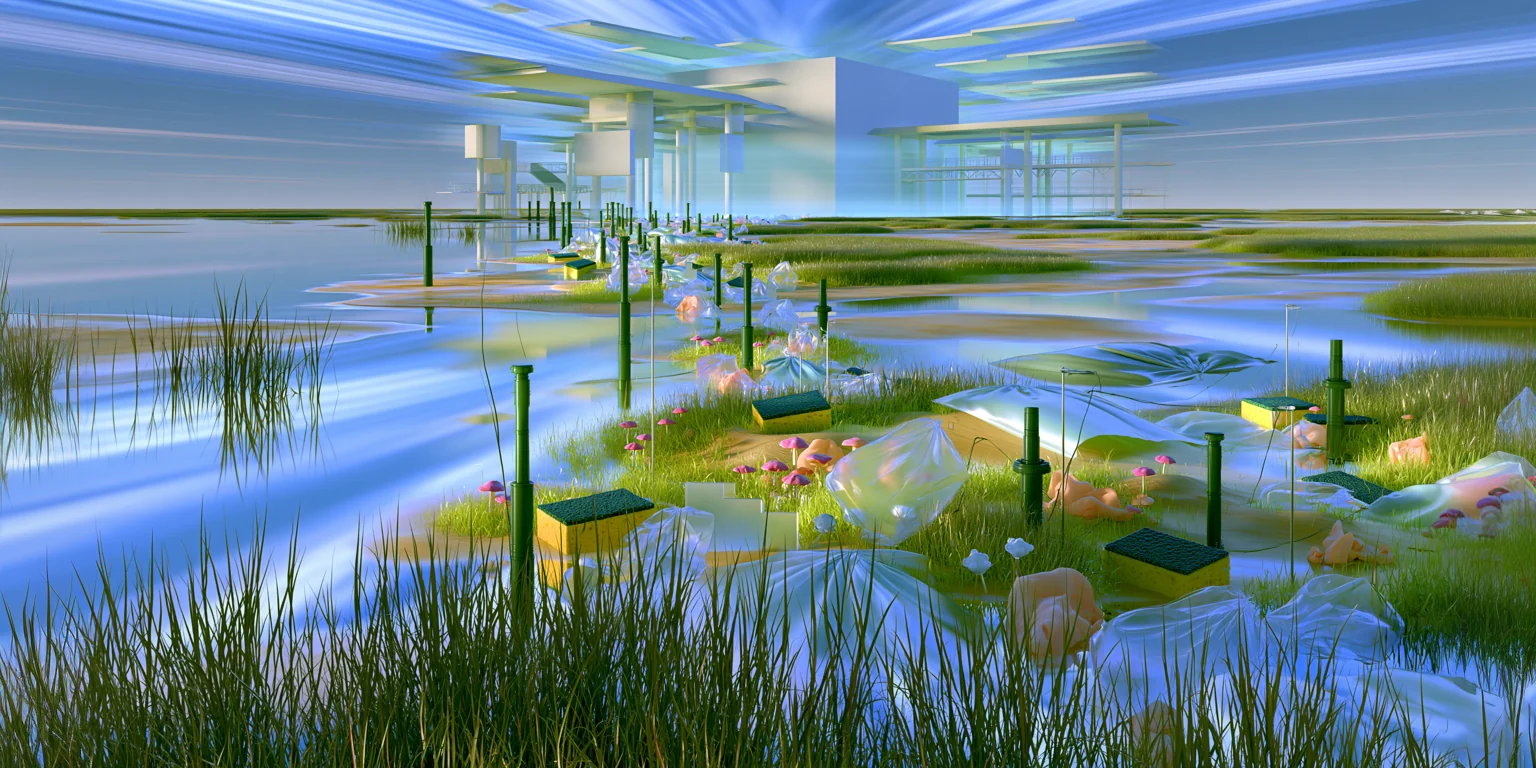
The tests so far keep the layout of the view but are still rough. The last image is where the look is headed; closing that gap is the next step, with a model trained on the project's own visual language. Jingge Zhang has trained a first Flux LoRA toward it.
Tools for watching it
Most of the technical work went into seeing what the system was doing. The sidebar holds the map, every generation and lighting control, and a log of each change as it happens; a strip along the bottom previews each field live. In debug mode one press of G exports the view's colour, depth and segmentation together with every field and the change map, into one folder per capture. A chronicle records a frame for each change and exports it as a change map or a timelapse. The maps and image sets on this page are those exports.
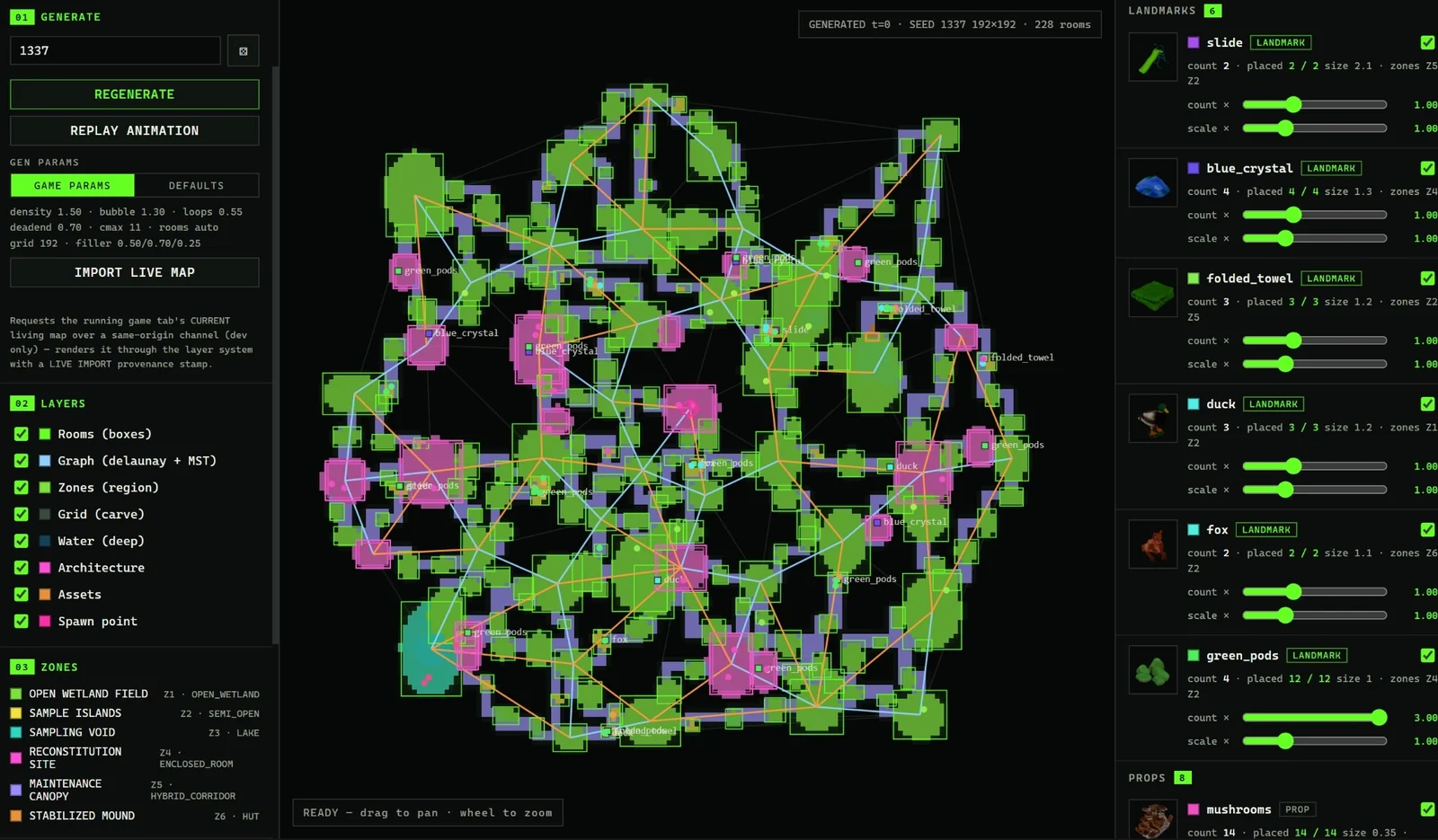
Seven self-tests run on every development load: the same seed gives the same world, every door is reachable, both image services get the requests they expect, and the deposition field matches a hand-written copy of its shader.
Toward a room
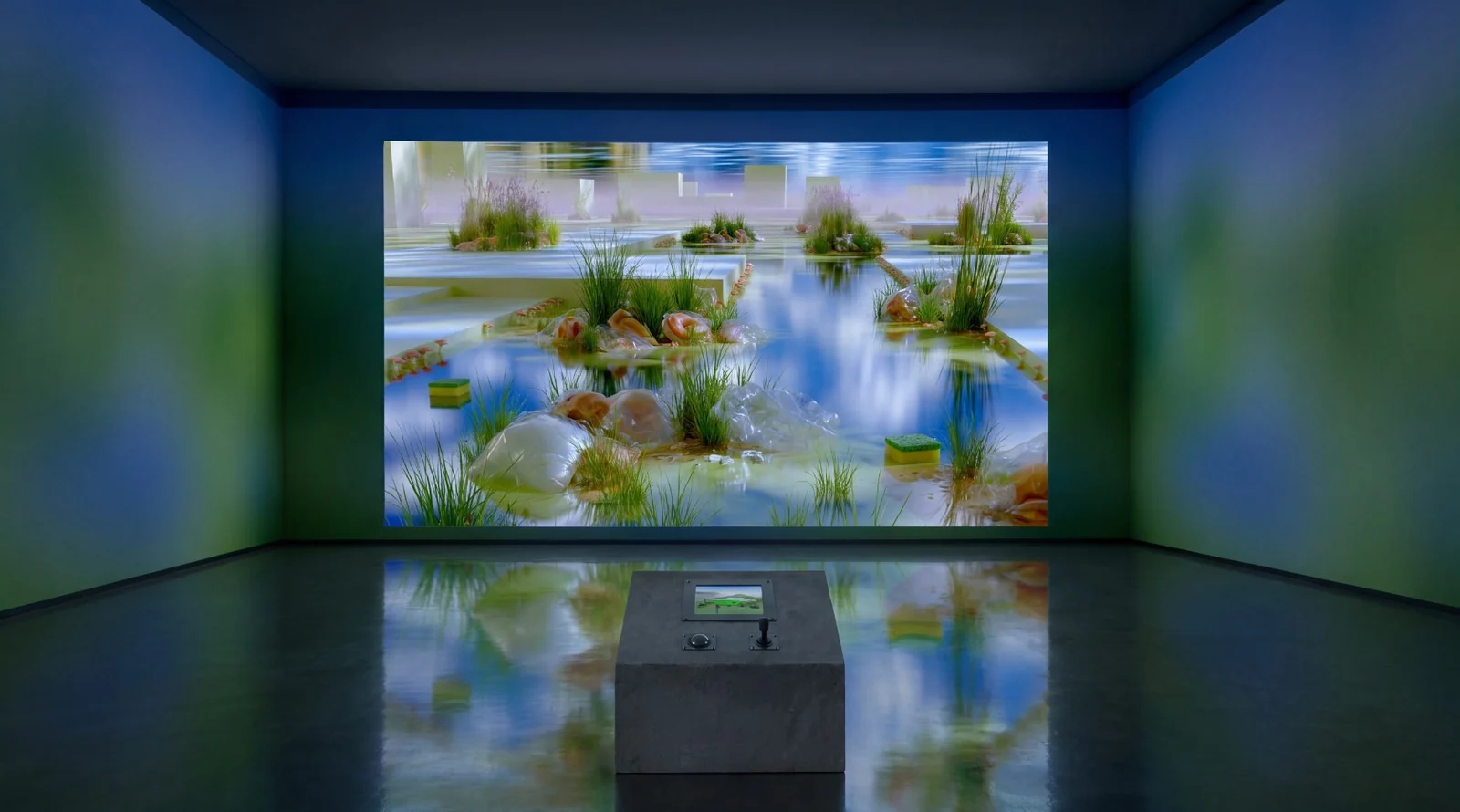
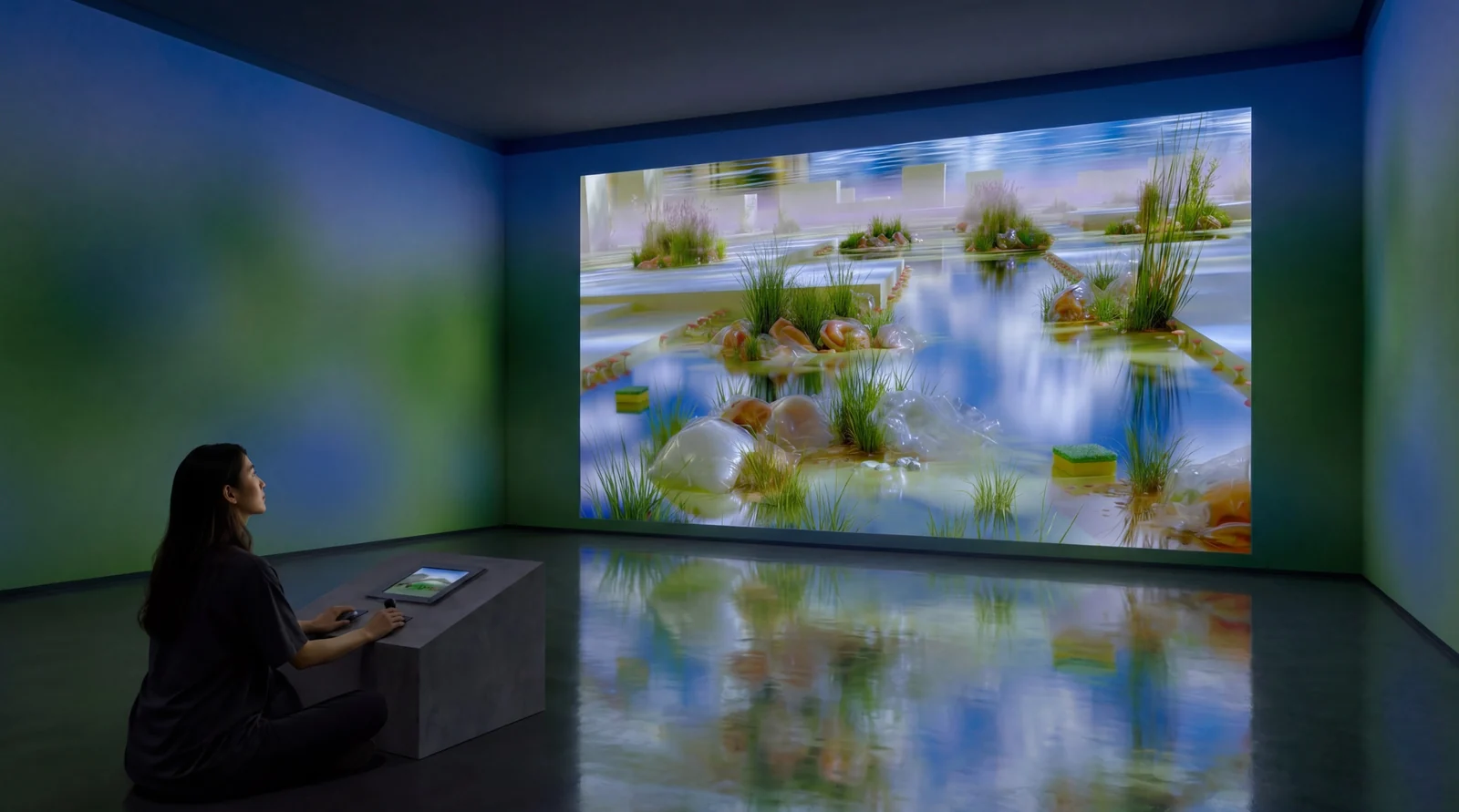
The proposal presents the wetland as an immersive installation of physical wallpaper, an AI-generated projection and an interactive console. All four walls carry a blurred wetland image, printed as wallpaper; a large semi-transparent projection of the generated view is layered over the front wall. A low trapezoidal console in the centre carries a small screen showing the simulation, a trackball and a joystick. One participant at a time moves through the wetland, and each new participant encounters a landscape that carries the traces of those who came before.
Where it stands
Default Wetland is a collaboration. Jingge Zhang leads the concept and the art direction, made the target images and trained the LoRA; I lead the technical side and built the prototype. The prototype took 7 days in July 2026: world generation, the memory fields and the living map, capture and the generation hookup, the debug tools and the survey overlay. It runs in a desktop browser with a mouse and keyboard. Not built yet: live generation at the target look, a public build, touch controls, and the room.
- Role
- Technical lead and developer. World generation, memory fields and living map, capture and generation, the debug and survey tools
- Concept and art
- Jingge Zhang: concept, art direction, the target images and the LoRA
- Status
- Browser prototype, in development. Live generation is in progress; the installation is a proposal
- Built with
- TypeScript · three.js (WebGL2) · Vite · ComfyUI · SDXL + ControlNet · fal