Functionless
An authoring tool for household objects that have lost their function. Visitors drive a Houdini generator from a panel of sliders, and the result renders to a poster while they wait.
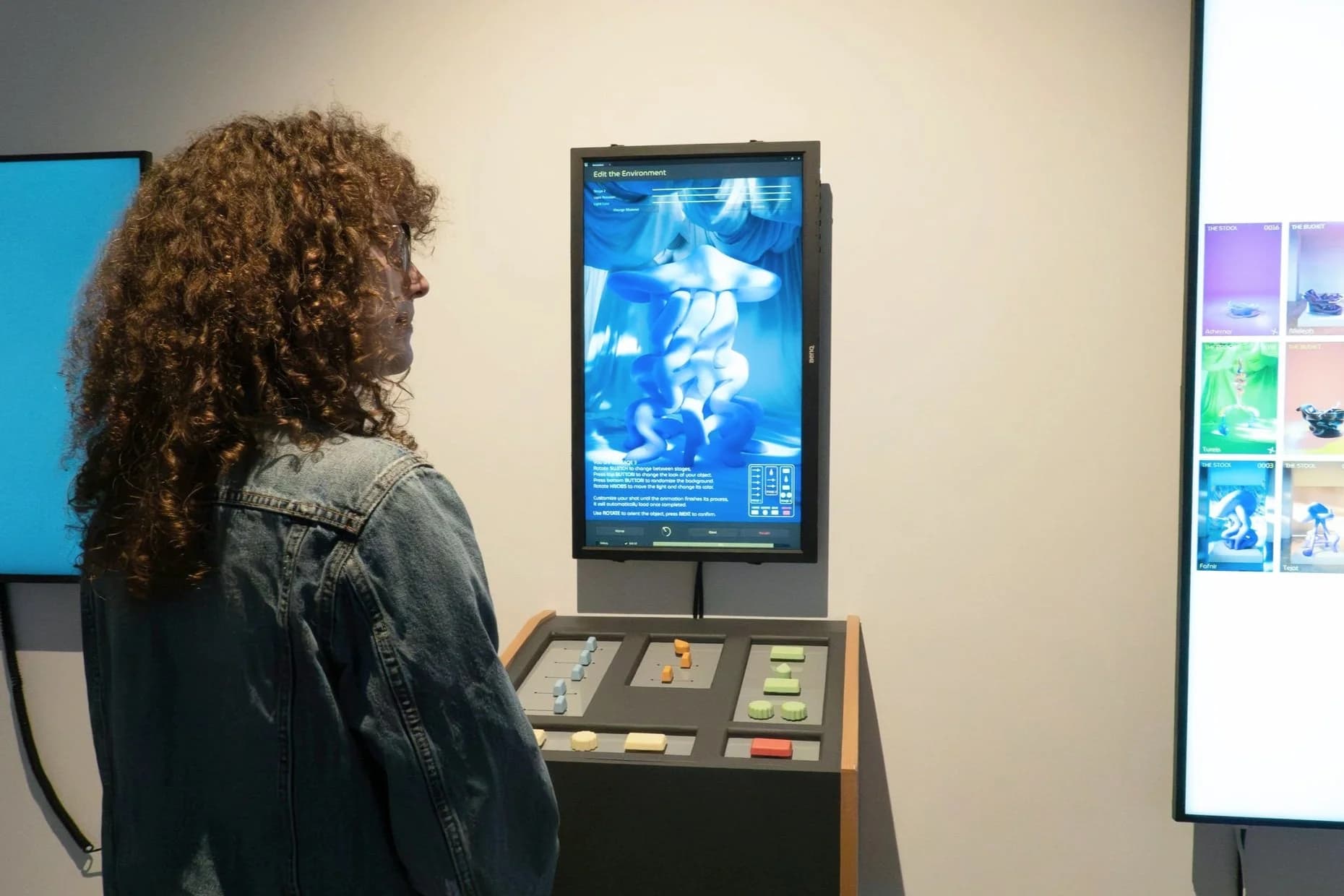
What would household items be like if they were freed from their function?
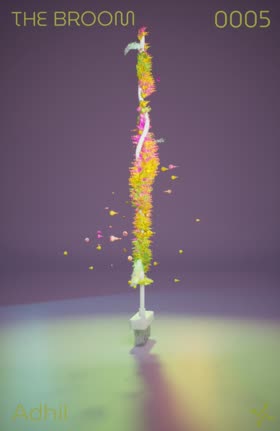
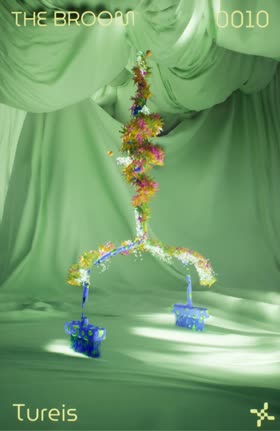
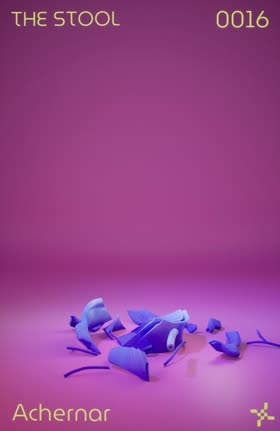
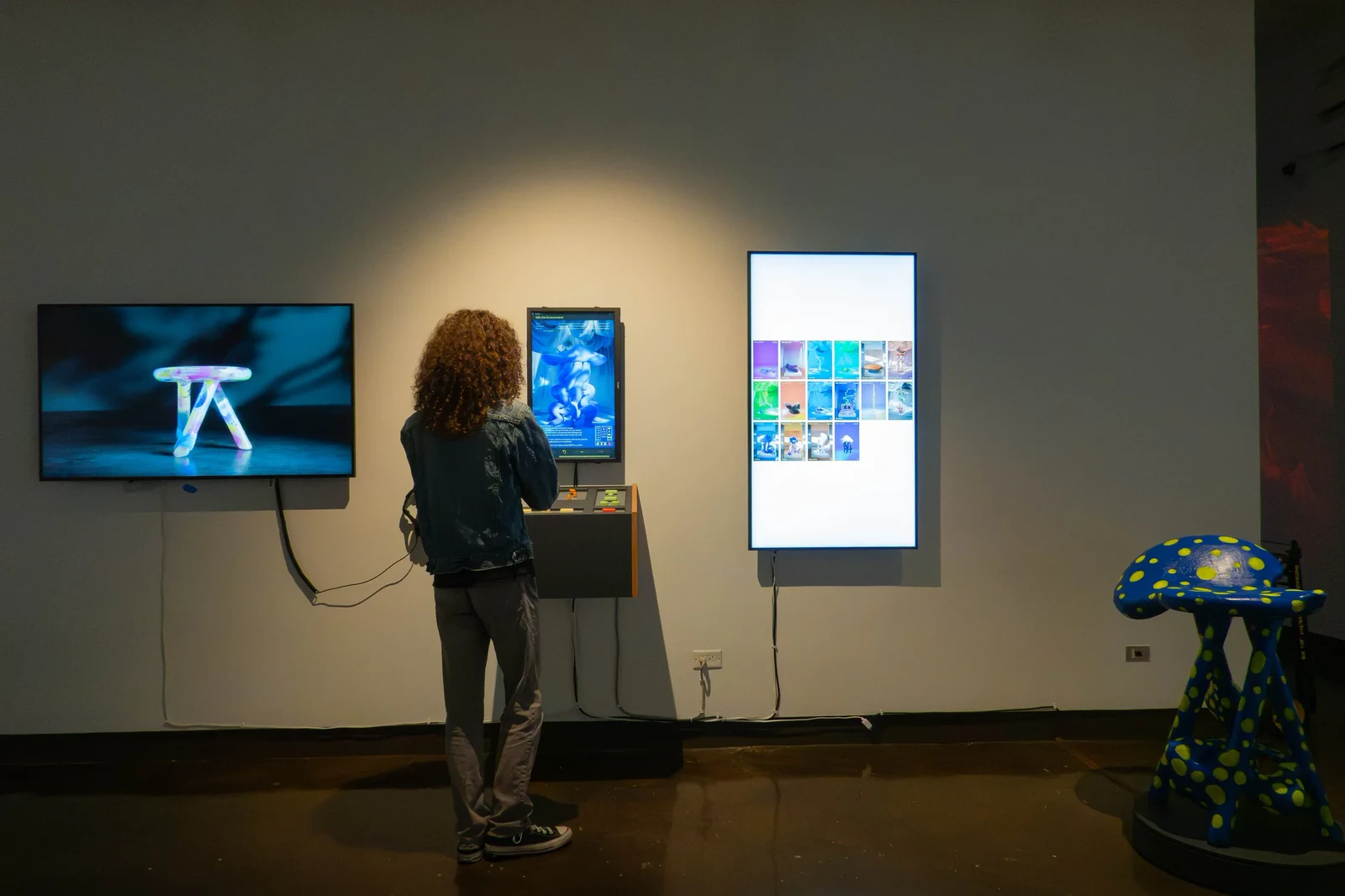
Functionless is the tool that answers it. A visitor works a panel of sliders, builds a household object that has stopped being useful, and it comes back on the wall beside them as a poster named after a star.
What happens when you turn a knob
There are no menus and no mouse. Sliders, switches and two rotary knobs change the object on screen as they move. Render sends it to the gallery wall with a QR code to take it home.
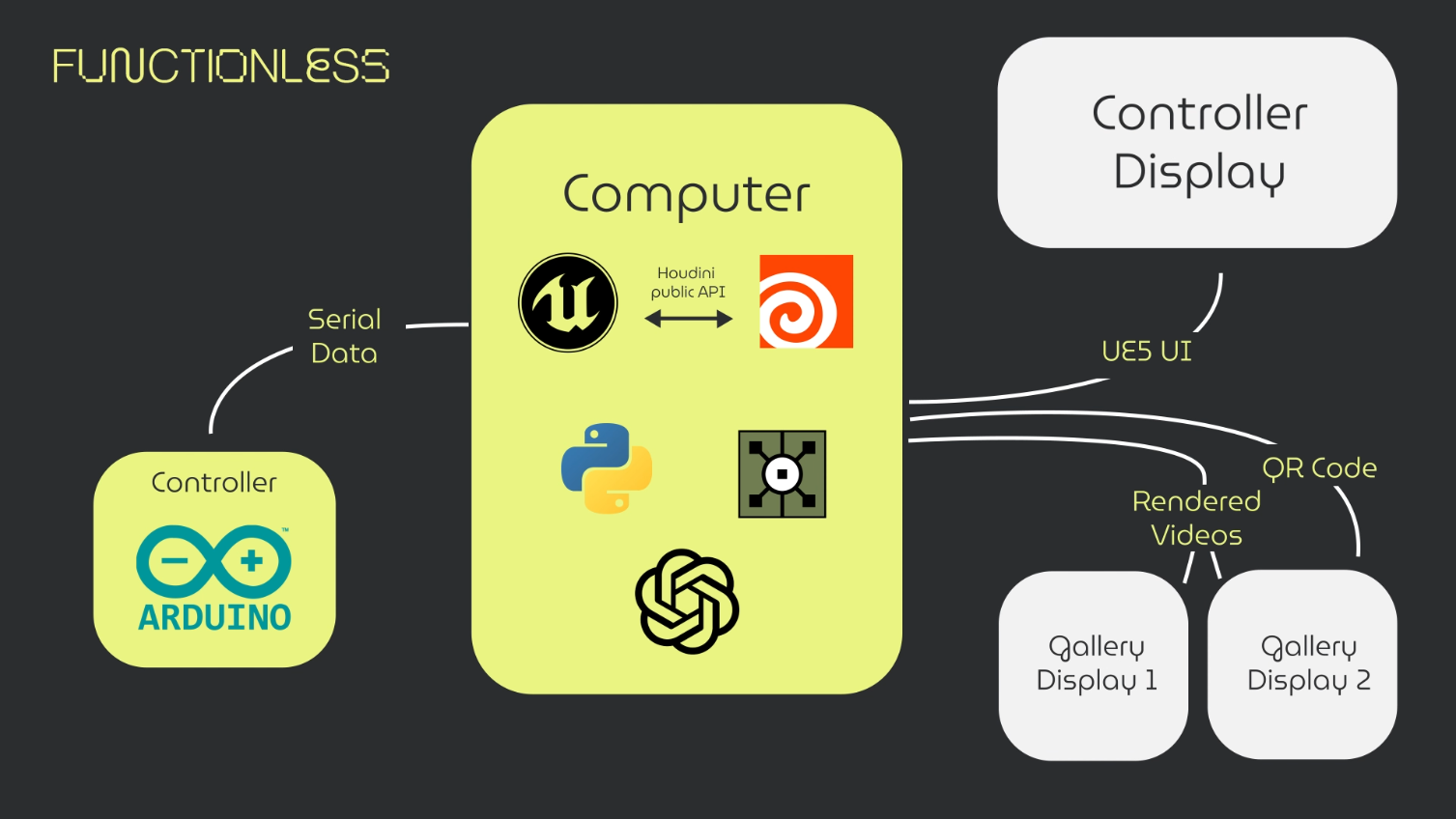
Underneath, that is five programs in a line. An Arduino Mega reads the panel and writes serial. Unreal owns the session state and the interface. Houdini does the actual generating, driven from inside Unreal through the Houdini Engine API. Python moves the finished render to S3 and makes the QR code. TouchDesigner drives the two gallery displays.
The authoring model is the hardware
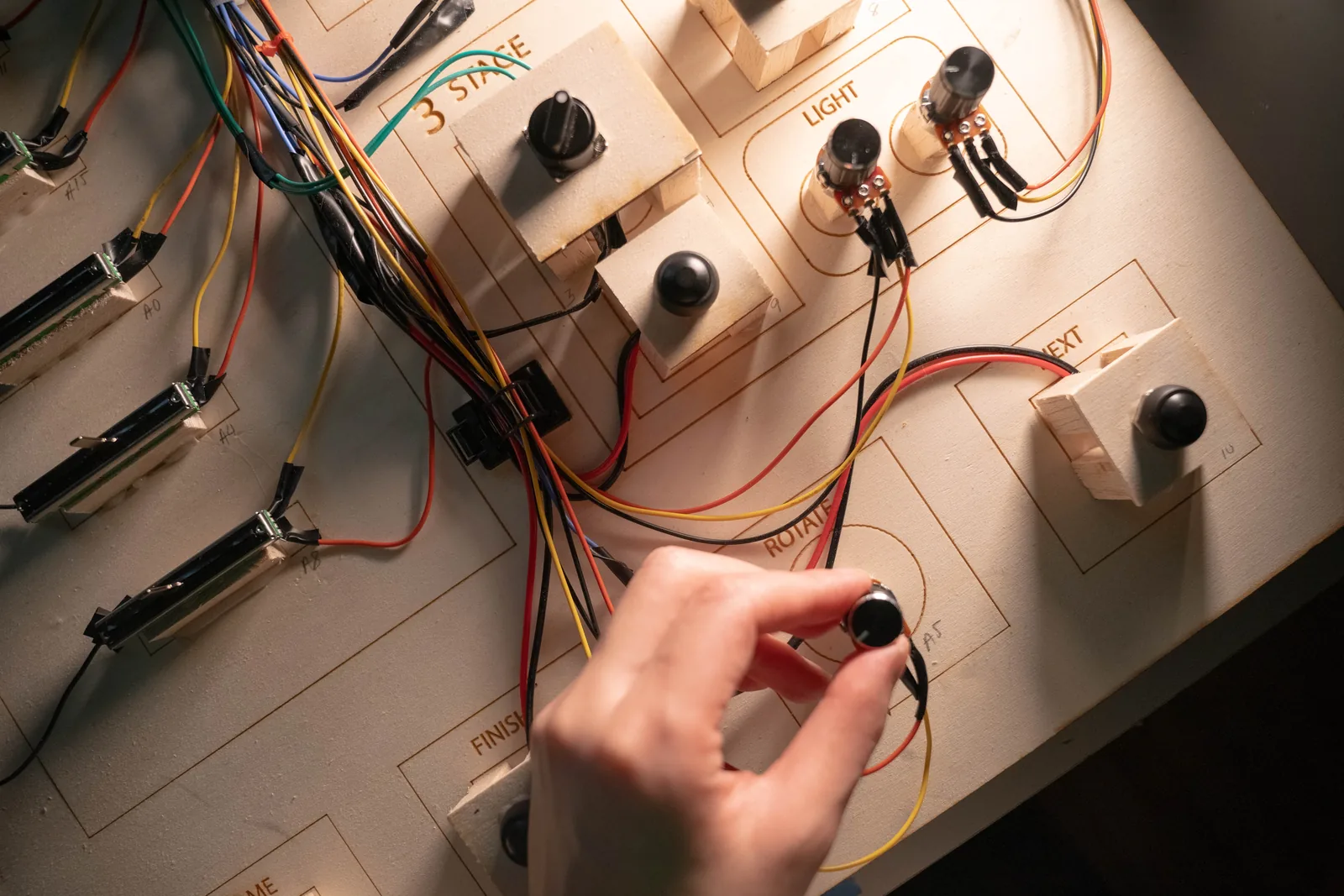
The tool has six steps: choose an object, edit it, set an effect, simulate it, stage it, then name and render. The panel presents three. Each stage holds the steps that belong together, and only one stage is live at a time.
Sliders 1 to 5 build the form. The second group distorts it: which effect, how big, how far offset. The third group stages it for the camera, with background, object material, light colour and light rotation. Next commits a stage, Home starts over, and Render is a physical button, which is the moment the visitor stops editing and starts waiting.
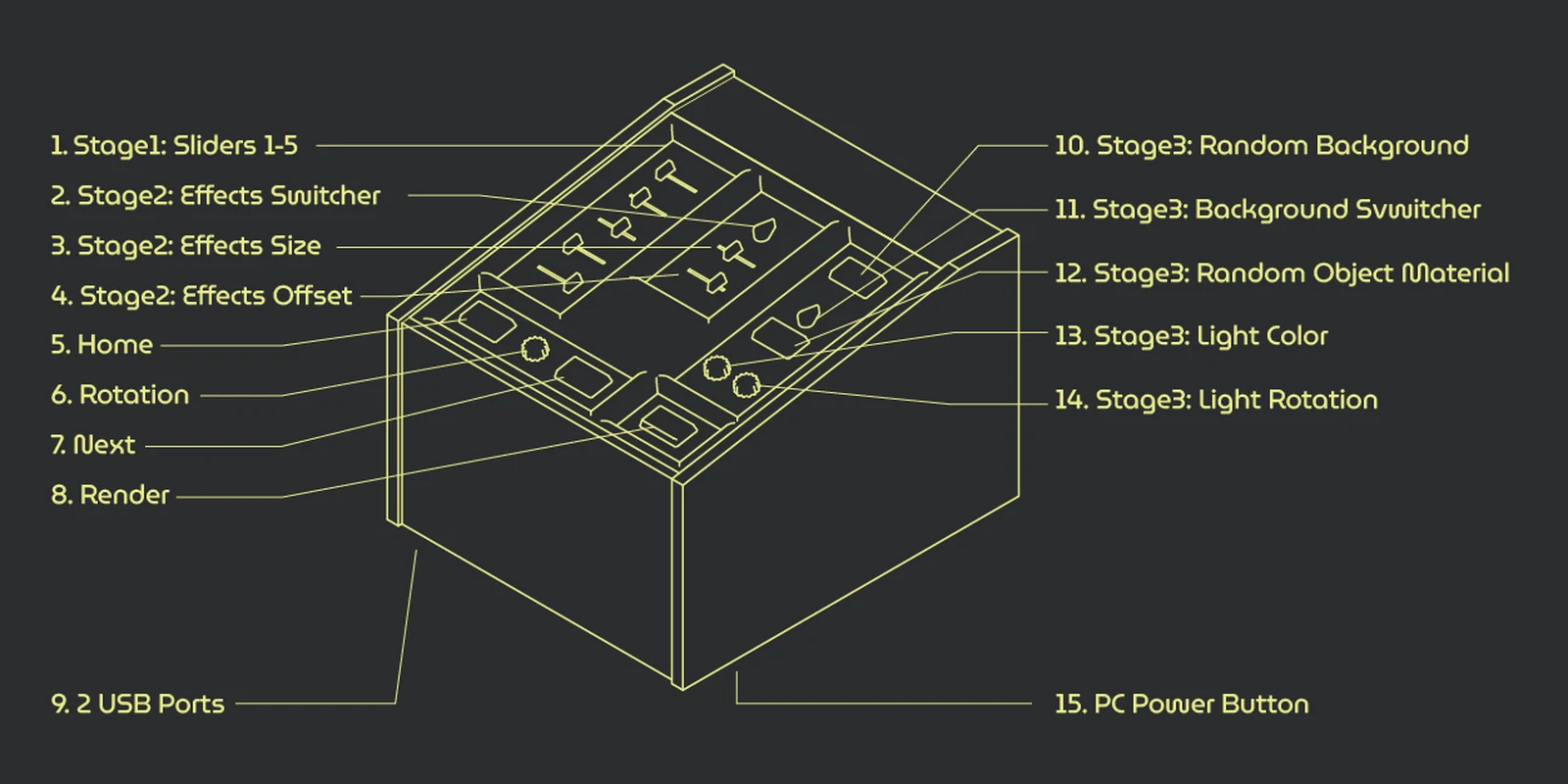
That collapse is what made the piece usable by someone who had just walked in.
Five other inputs were tried first:
| Path | What it was |
|---|---|
| MIDI to Unreal | A MIDI Mix bound through a Remote Control preset |
| MIDI to Houdini | The same, via a virtual MIDI device |
| OSC from TouchDesigner | An iPad camera through MediaPipe, hands as input |
| JSON and OSC via ZigSim | A phone's sensors straight into Houdini |
| Web UI | A browser page driving both |
MIDI got closest and failed in the one place that mattered. A Remote Control preset binds happily to Blueprint variables, and reaching through one to an HDA parameter crashed the editor. Everything a visitor touches is an HDA parameter, so that was the end of it. The rest ask for a phone, a browser or a camera, which a gallery console cannot rely on.
Serial shipped.
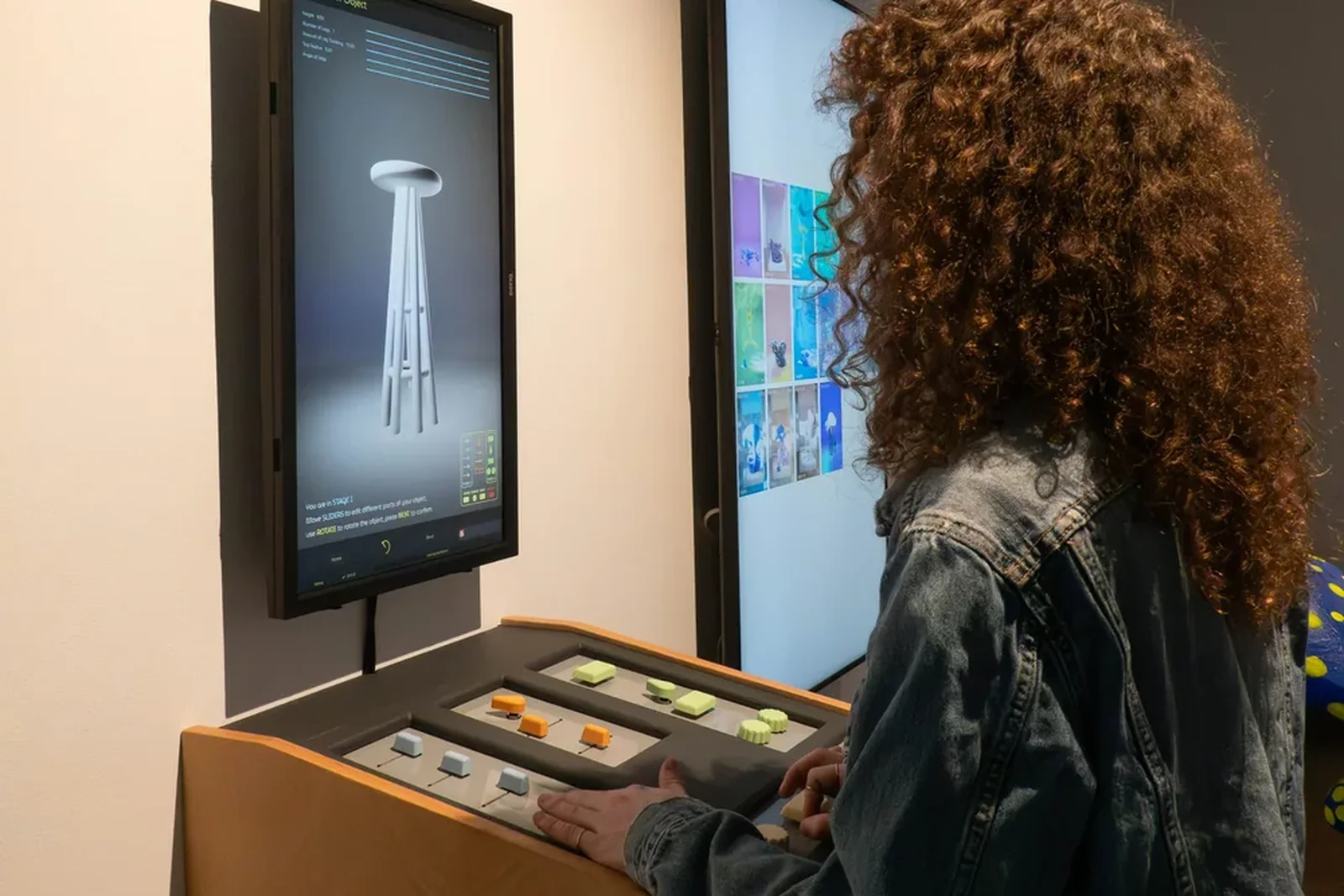
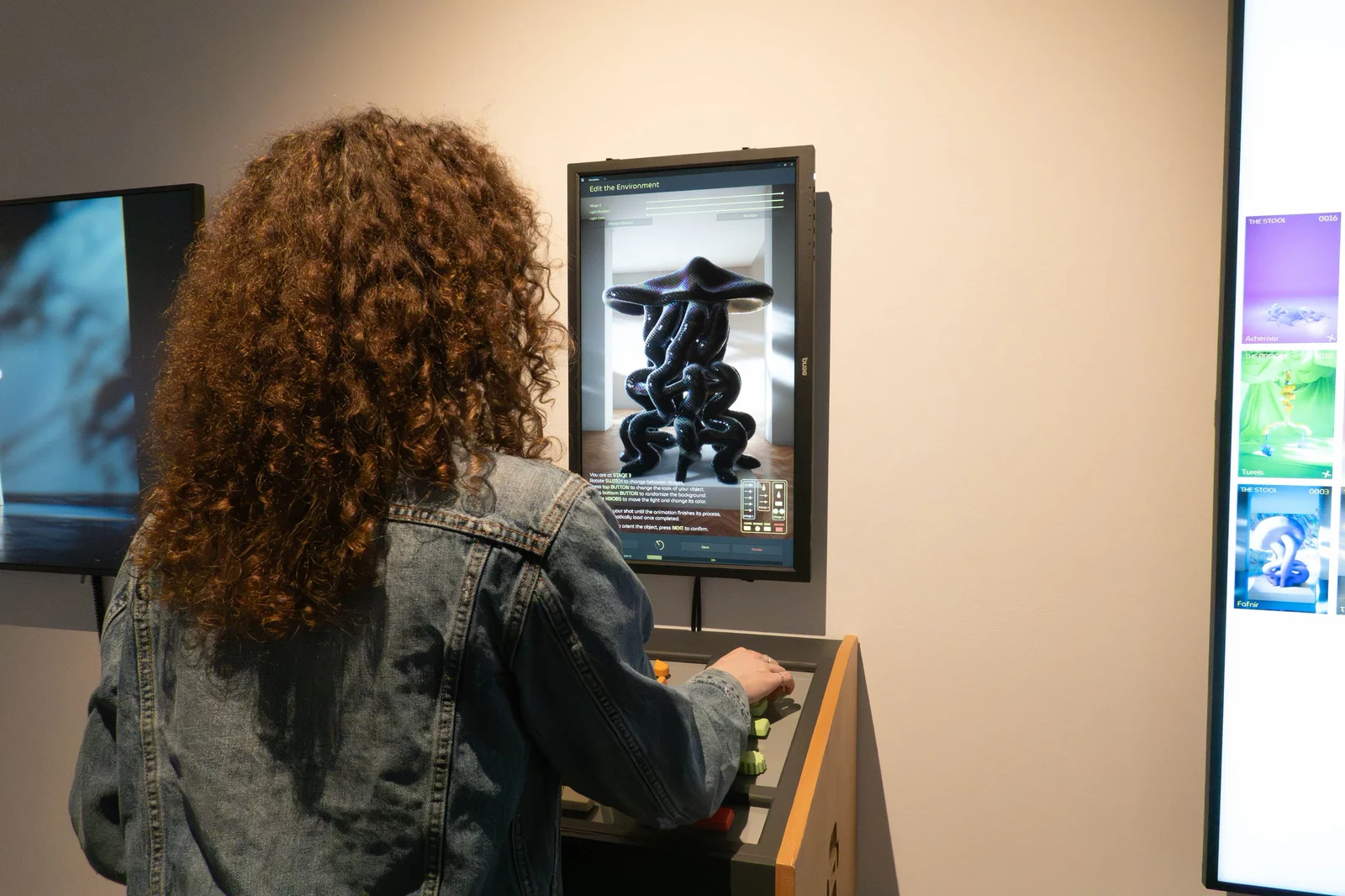
It ran on cardboard and exposed wire for months before it was a console.
Houdini inside Unreal
The generator is a Houdini digital asset running inside the Unreal editor rather than beside it, through the Houdini Engine API. Unreal holds the parameters, HAPI cooks the asset, the geometry comes back into the level. One application, one process owning session state, no files handed between programs at show time.
HAPI is a good road in and a poor road back out, because a cook returns geometry and these objects need a cache: the inflation is a simulation, so what is worth keeping is several hundred frames of moving mesh.
Vertex animation textures are the real-time answer and I tried them first. They need vertex count and order to hold still for the whole take. An RBD fracture creates and destroys geometry by definition, so the bake had nothing stable to write into and the pieces came back interpenetrating.
So it shipped on Alembic, which stores geometry per frame and does not care how it was made. Houdini writes the cache, Unreal imports it and binds it onto the timeline, nobody touches the editor. The one trap is the coordinate change: Houdini is Y-up and right-handed, Unreal is Z-up, left-handed and in centimetres, and getting that wrong gives you a model that looks perfectly correct until it turns around.
Alembic is the heavier format and the cost lands on import. A RAM disk for the working directory, tried to buy that cost back, saved 1.1s on the simulate and lost 1.6s on the import. It is not in the show build.
For a folder of takes, the settings became a plugin with a Transform from Houdini Space? checkbox that defaults to exactly that conversion. Released as unreal-alembic-batch-importer, and it is the part of this project I still use on work that has nothing to do with it.
Telling the visitor it is working
The render takes long enough that a frozen screen looks broken.
Houdini rendering in the background has no opinion about Unreal's interface, so the render reports on itself: a callback fires after every frame and sends its position to Unreal over OSC, which drives the progress dialog. The bar the visitor watches is the frame Houdini is actually on, not an animation of a bar.
One-way, so neither side waits on the other.
Running with nobody in the room
The piece runs in the Unreal editor, not a packaged build, and every operational decision follows from that.
Nobody launches anything. Every program starts on boot and the machine shuts itself down at 18:00, so opening is three lines for a gallery attendant: screens on, turntable on, press the power button. Unreal or TouchDesigner dying is survivable because one restart script brings the whole stack back, and a known defect that left error text on the interface was made clearable from the console itself, so Home returns a visitor to a clean Stage 1. Both keep the piece running when I am not in the building.
What did not ship
Each piece is auto-named after a star. A vision model that read the finished object and wrote its name, or a line about what it had become, worked in tests and was cut for schedule.
The other was bigger. Houdini Engine runs in the Unreal editor, not in a packaged build, so a piece that generates geometry at runtime is stuck inside the editor forever. The way out is to build your own integration against HAPI in C++, and I started one (CustomHEnginePlugin) before stopping: months of C++ to get back to where I already was, against a thesis deadline.
345 pieces
Every one made by a visitor, across the two runs where the machine was live: the SVA thesis exhibition and Ars Electronica.
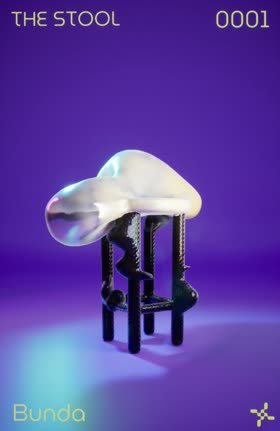
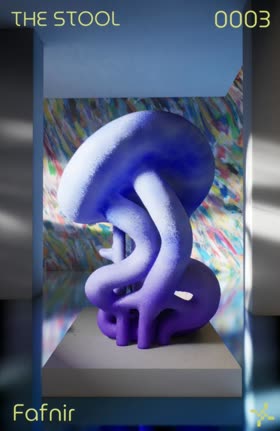

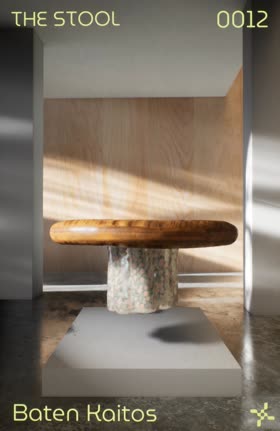

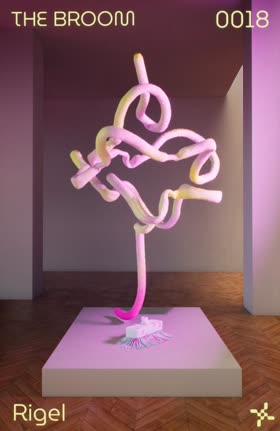
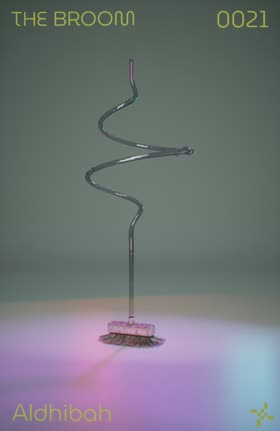
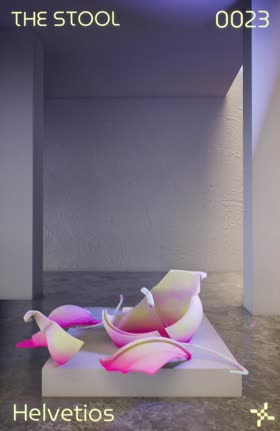


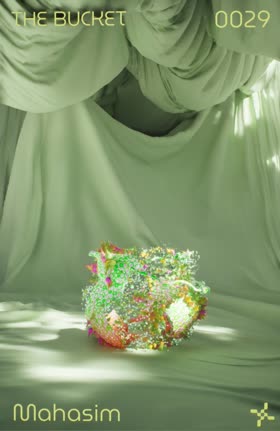
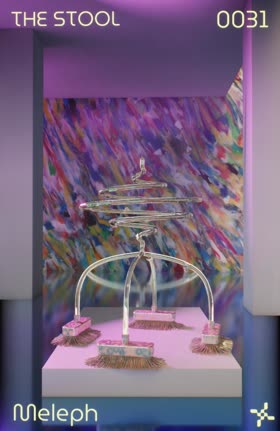
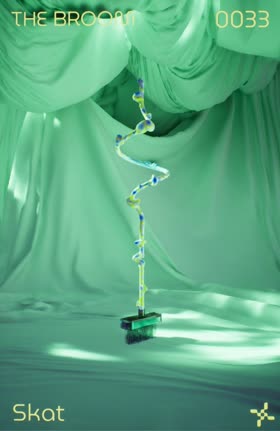

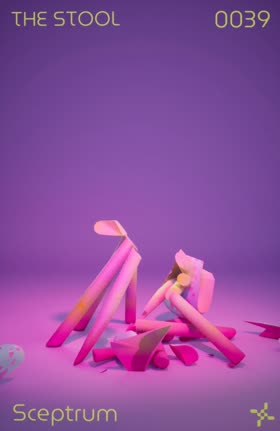

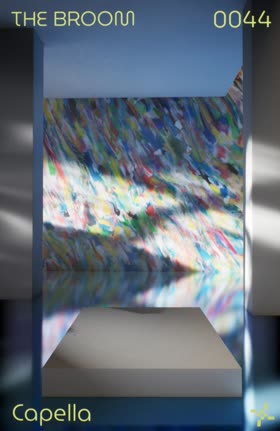

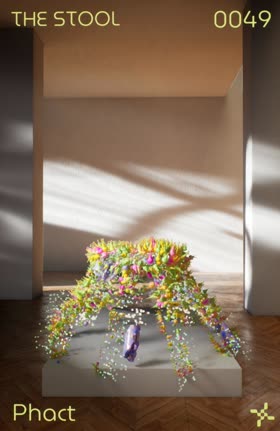
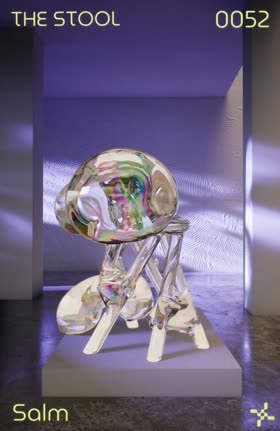



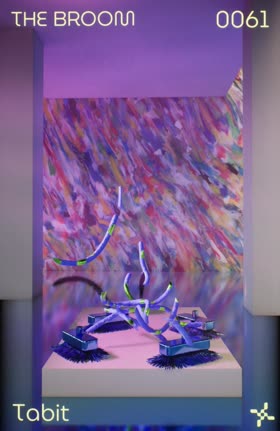

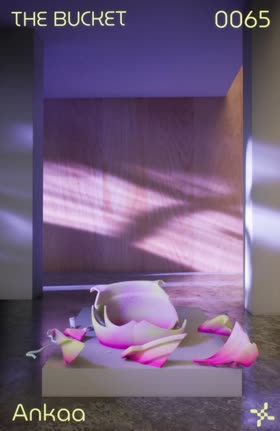
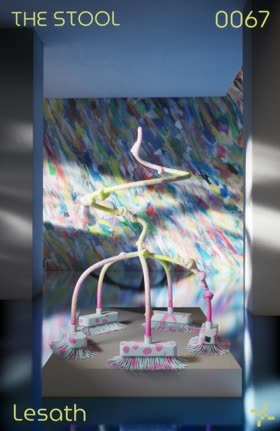
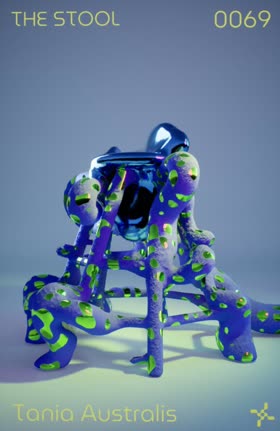
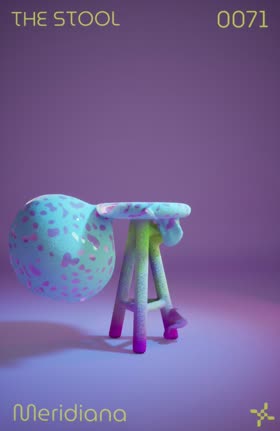
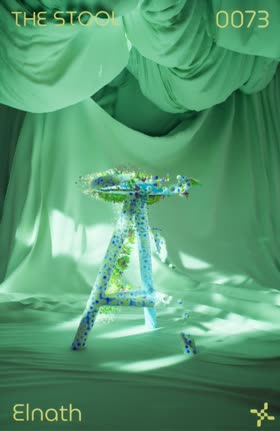

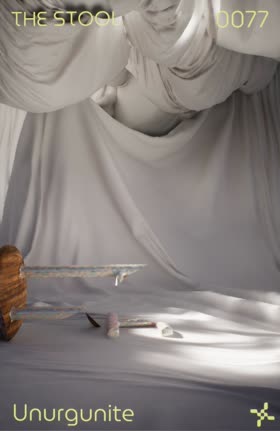

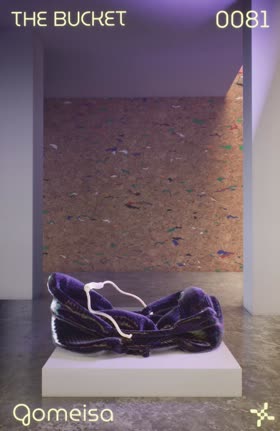
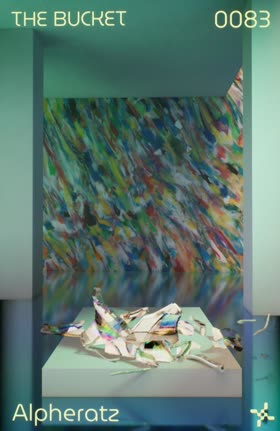
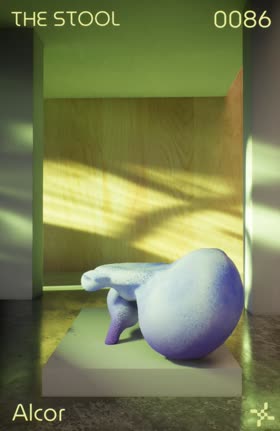
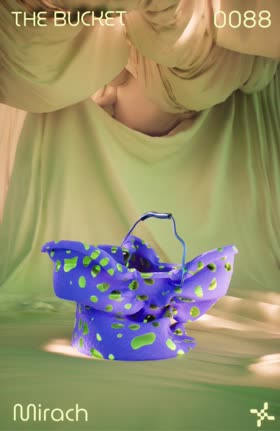
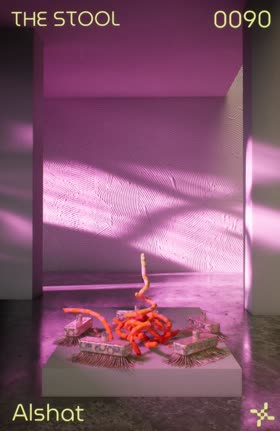

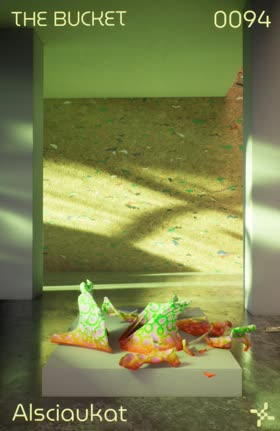
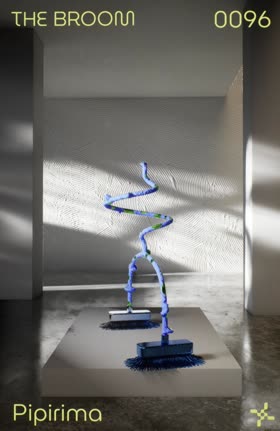
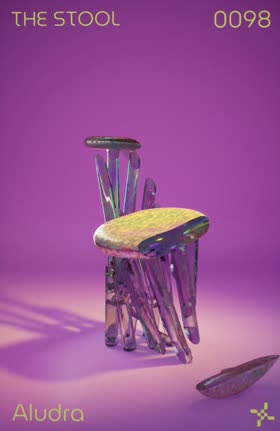
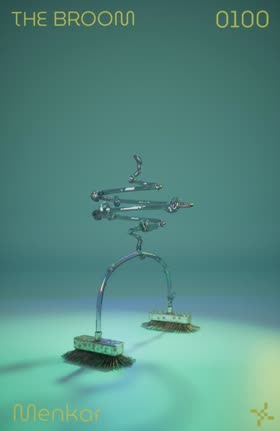
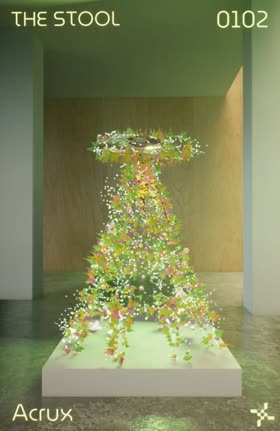

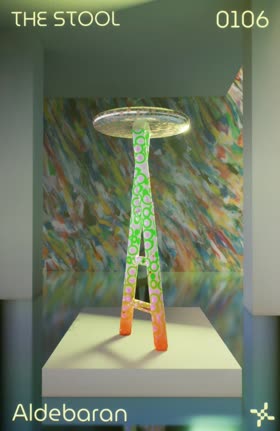

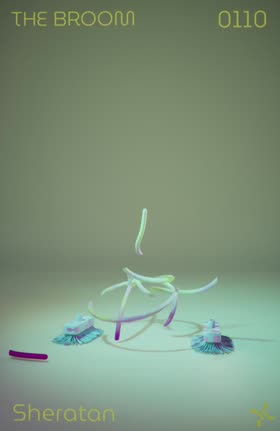
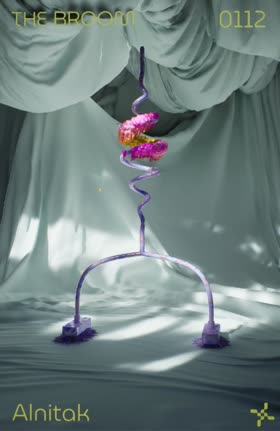

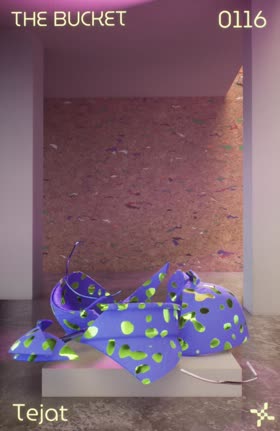



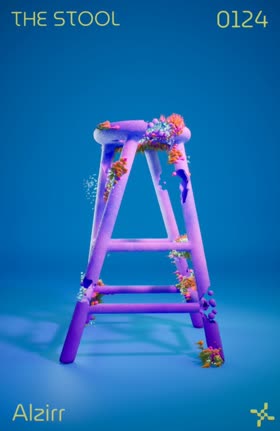
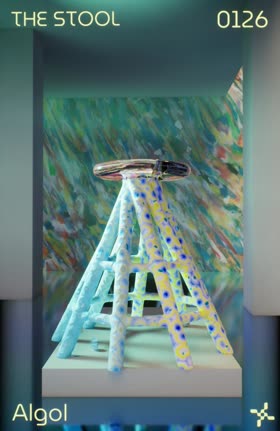
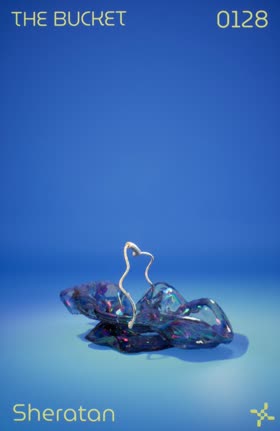


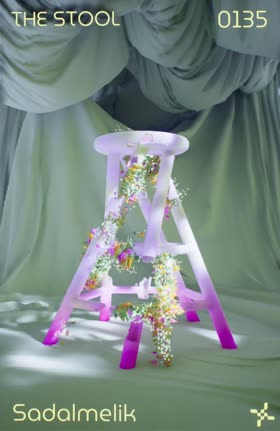
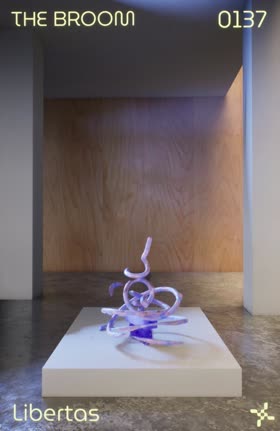
One design was taken out of the machine and fabricated at full size by CNC routing and 3D printing, bringing a forgotten household object from the screen into the room. It sits on a turntable at the end of the room, and it is the only object in the show you could actually sit on.
- Role
- Technical director and engineer. The Houdini-to-Unreal generation pipeline, the serial layer that turns the console into parameters, the render-to-gallery service, and the unattended runtime
- Built with
- Unreal Engine 5.2 · Houdini 19.5 with Houdini Engine · Arduino Mega · Python 3.10 · TouchDesigner · Redshift
- Ran on
- Intel NUC13RNGi9, i9-13900K, 64GB, one 27in interface display and two gallery displays
- Shown at
- SVA MFA Computer Arts thesis exhibition · Ars Electronica Festival 2024, Campus Exhibition · V&A Digital Design Weekend 2024, screening only
- Context
- MFA thesis project
- Documentation
- Full walkthrough video
- Team
- Creative direction, art direction, the offline renders and the console build, Andres Salazar · Music, Javier Cruz · Ambient music, Daniel Finn · Branding, Jimena Martinez
- Faculty
- Instructors, Anney Bonney · Javier Cruz · India Lombardi-Bello · Adam Meyers. Advisors, Paul Esteves · Daniel Finn · Ben Forest · Michael Gold
- Thanks
- Manuel Casasola · Michael Dondero · Mark Ingle · Christopher Kopic · Luis Navarro · Milos Paripovic · Mortiz Schwind · Jose Vargas · Mike Wang