Houdini Robot Toolkit
A Houdini digital asset that animates a 6-axis arm along a drawn curve, measures what the move would do to the hardware, and blocks export until it is safe.
Draw a curve, get a robot move. A drawn curve can easily ask for a move no arm can follow.
The solve
The asset takes a rest skeleton and a goal curve and solves the arm along it, colouring the result by whatever you are currently worried about. Here that is joint velocity, blue at 0 and red at the profile's 180 deg/s limit.
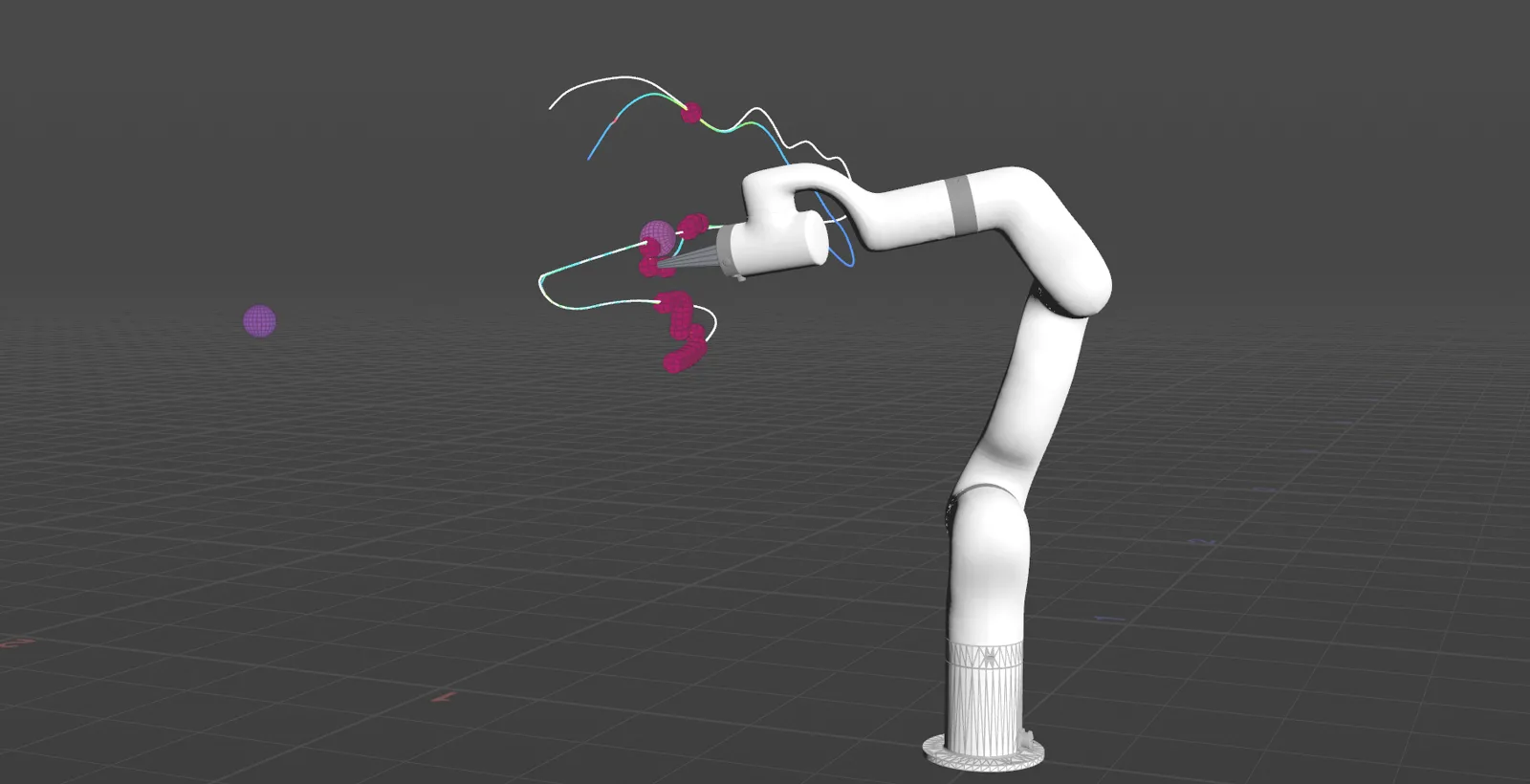
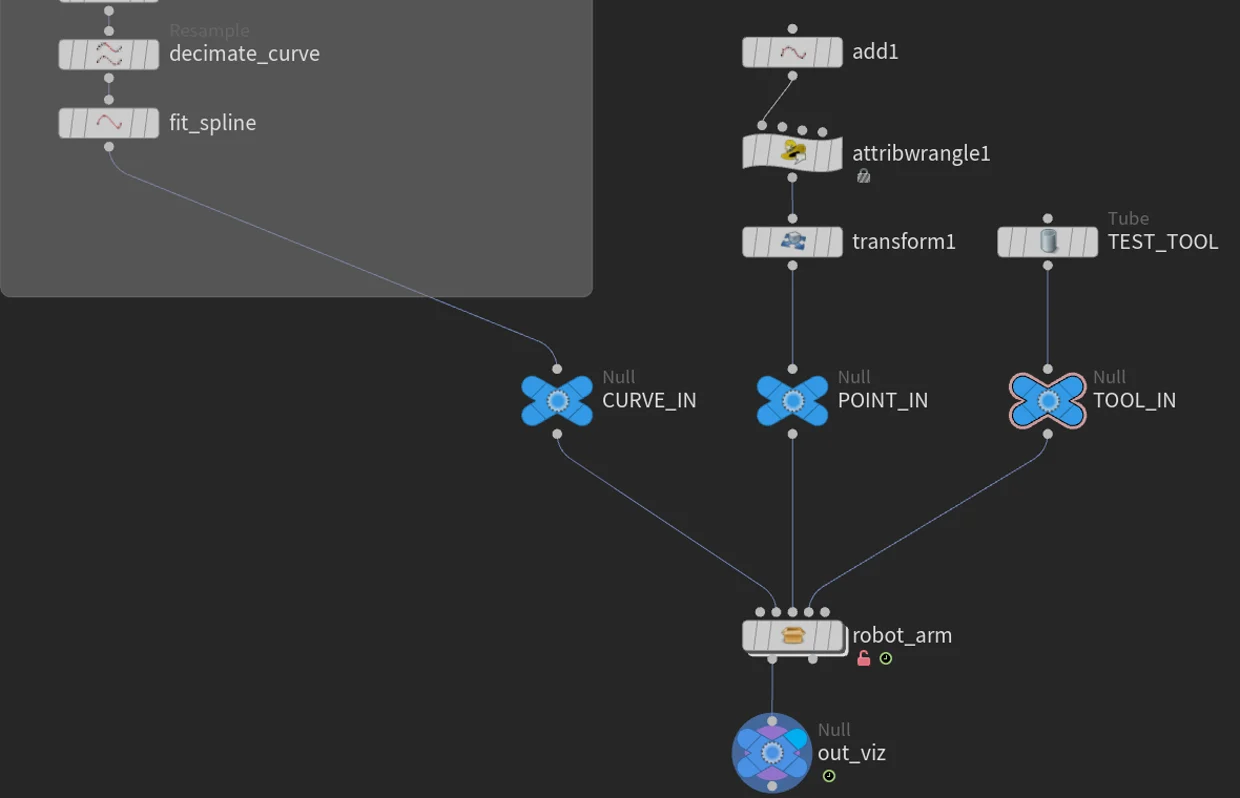
Three inputs are usually wired:
- Goal curve — the path the tool follows. Drawn curves arrive messy, so they are fused, decimated and fit to a spline before they become a goal.
- Goal point — a single transform to reach instead of a curve; when wired it takes over from the built-in target.
- Tool geometry — not decoration. The TCP is read out of this mesh, from a
point or group named
tcpif you declare one, and guessed from the extent along +Y if you do not.
A rest-skeleton override and a reserved collision input are also exposed.
The gate
A pre-flight check runs the whole clip and reports on joint limits, angle continuity, unwrapping, joint velocity, wrist branch flips, frame range, tracking residual, and whether the analysis cache still matches the live solve.
With Gate Export On Pre-Flight on, a clip that fails cannot be written out.

READY - 0 warningsOK Joint limits all samples within profile limitsOK Angle continuity no step exceeds 180 degOK Unwrap continuous anglesOK Joint velocity peak 166.7 deg/s of 180 allowedOK Wrist branch resolved at 131 frames (tool pose unchanged)OK Frame range 1-162, matches playbarOK Tracking residual peak 248.33 mmOK Solve cache matches the live solveWhat clears the gate is a joint CSV: frame, time_s, j1_deg through
j6_deg, and speed_pct. TD Robot Control's Go
worker plays it directly and Motion-Core imports it; on
the FR20, the toolkit's own player does.
Four ways to pose the arm
The spine of the asset is one menu: FK, IK, imported CSV, or a baked solve. Everything downstream is identical whichever you pick: same analysis, same gate, same export.
That split matters because IK is how you author and FK is what a controller takes. The FK angles are stated in the robot frame, clamped to the profile limits, so they are the numbers the controller will actually receive. Bake IK to FK freezes a solve into joint keys, and the hard half is doing it flip-free: a six-axis arm can reach the same tool pose with the wrist rolled either way, and a re-solve is free to pick the other branch between cooks. Left alone, the tool goes where you asked and the elbow snaps through 180° getting there.
The bake resolves those, and reports how many it found. Because a flip is a different joint configuration reaching the same TCP, resolving it changes the joint path and nothing the tool does; the pre-flight reports it as "tool pose unchanged".
Baked 354 frames to ik_baked_fk (285 wrist flips resolved)Once baked, the clip stops moving under you and a single joint can be hand-corrected without re-solving.
Import CSV closes the loop the other way: a clip that already exists, off the robot or out of Blender, comes back in and is measured by the same validator. Nothing gets a pass for having come from somewhere trusted.
Retiming instead of redrawing
Most first drafts fail on one thing: they are too fast. A hand-drawn curve has no idea what a joint can do.
The fix is not to redraw the curve. It is to redistribute time along it. Retime samples the solve, finds where the joints are over budget, and slows only those stretches.
Measured on a second clip end to end, at the default safety factor of 0.8:
| as authored | after retime | |
|---|---|---|
| verdict | BLOCKED — 1 failure | READY — 0 warnings |
| peak joint velocity | 820.5 deg/s (J4, frame 98) | 166.7 deg/s of 180 |
| frames | 150 | 162 |
| frames flagged in the viewport | 23 | 0 |
Retiming only the stretches that were over budget cost 12 extra frames. The retime is still an estimate, because it samples the solve rather than proving it, so the gate runs again afterwards.
On the real arm
The asset was built against a UFactory 850 (UF850). It now also builds a Fairino FR20 from its URDF, and for that arm the IK is a closed-form solve instead of the iterative one, so every frame can take the branch nearest the frame before.
On the FR20, Retime plans against acceleration as well as velocity. A clip inside the velocity limits can still ask a joint to speed up harder than the controller allows, and the player then slows the whole clip down. An earlier export of the same curve would have played 8.54× slower than drawn.
| first clip | the clip above | |
|---|---|---|
| retimed at | 150 deg/s² | the measured 300 / 600 deg/s² |
| length | 323 frames, 13.4s | 336 frames, 14.0s |
| played | its designed length; 3 runs, 0 controller errors | 0 controller errors |
| tracking | 0.80° worst, 0.29° RMS | 0.85° worst, 0.23° RMS |
Both streamed by ServoJ at 125 Hz. Tracking is measured after removing the controller's lag of about 0.1s. The second column comes from a recorded run of the clip in the video, not from the take filmed.
Limits
Retime cannot move the curve, so a clip that fails on joint limits or tracking
residual, a curve that goes where the arm cannot reach, has to be redrawn. Two
of the three test curves fail exactly that way and stay BLOCKED no matter how
they are retimed.
On the FR20, Pre-Flight also checks the clip against the room: the arm as capsules fitted to its meshes, the room measured by touching the arm's tool to the floor and walls. A clip that comes too close fails the gate.
- Role
- Creator and sole author; operated the robot
- Built with
- Houdini · VEX · Python · KineFX
- Asset
wenyi::robot_arm::1.0, six tabs in workflow order- Robot
- UF850 and Fairino FR20; other arms from a URDF and a profile JSON
- Hardware
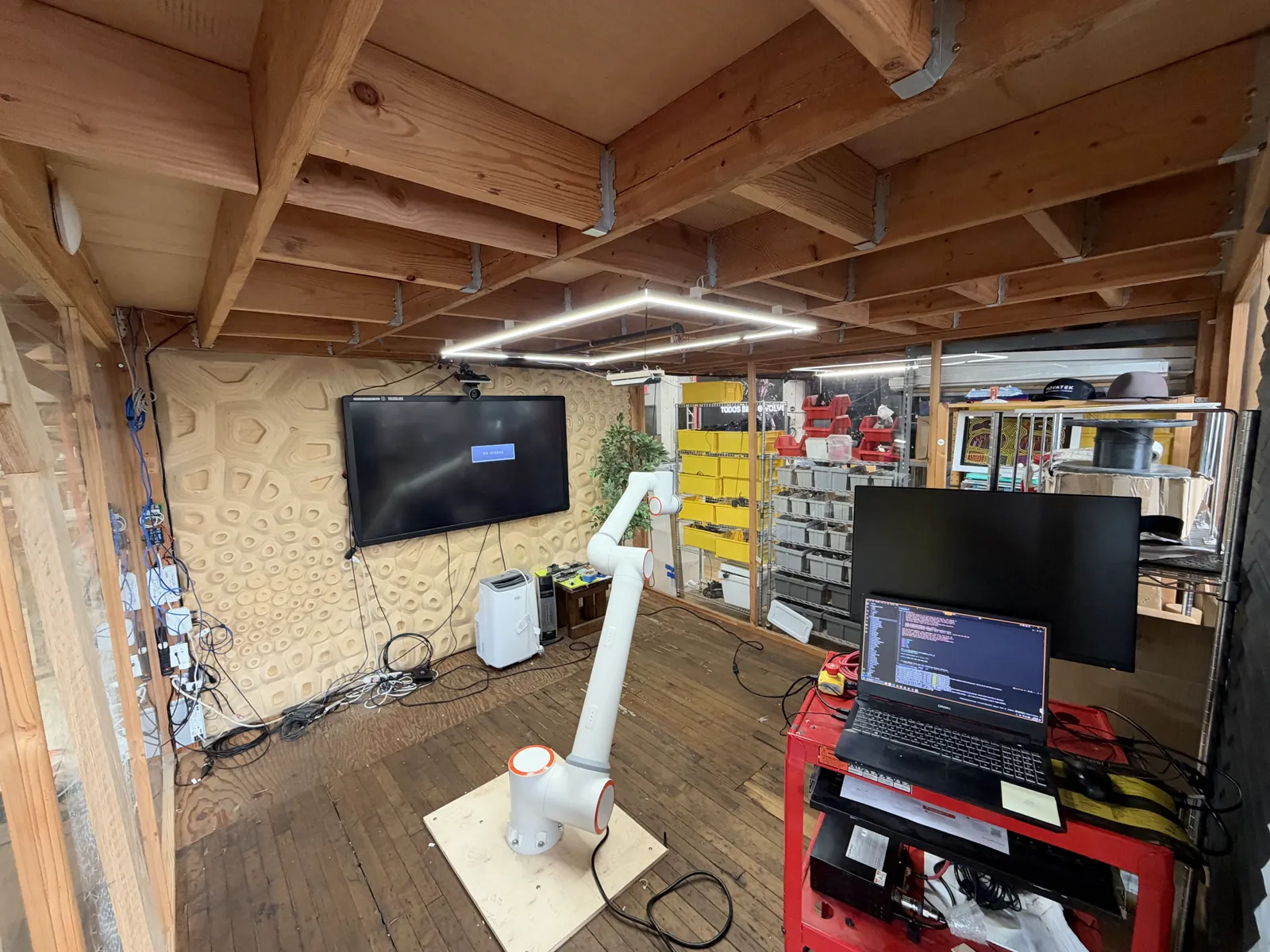
- The FR20 and the lab, Volvox Labs
- Feeds
- TD Robot Control plays the exported joint CSV directly and Motion-Core imports it; on the FR20, the toolkit's own ServoJ player
- Sibling
- xArm Blender Animation, the keyframed route to the same file
- Source
- github.com/wzhang1998/houdini-robot-toolkit