TD Robot Control
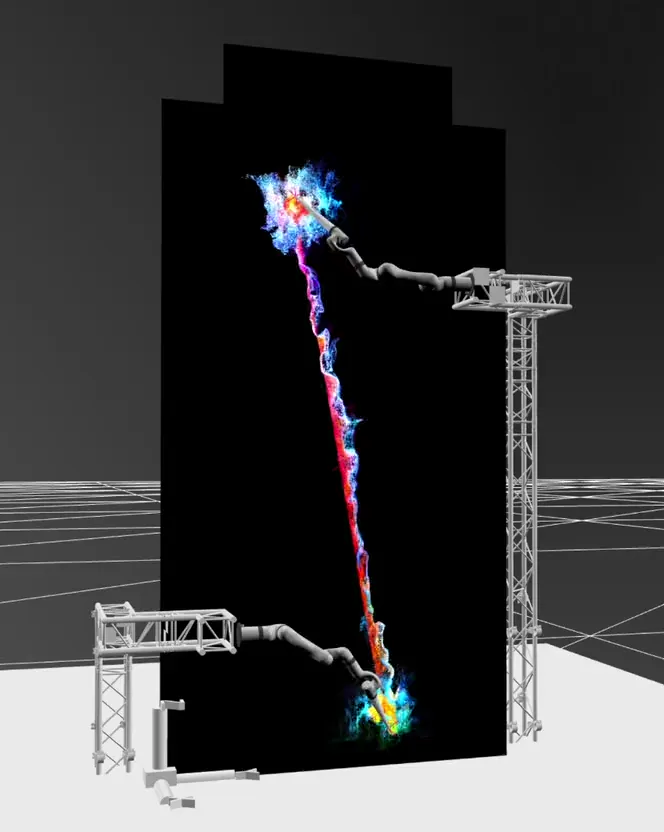
A UFactory 850 (UF850) digital twin inside TouchDesigner. Preview a move against the show's own visuals, then play it on the hardware.
Robot simulation normally lives in its own window, next to the show. This one lives in it, and doubles as the desk the arm is run from.
The twin
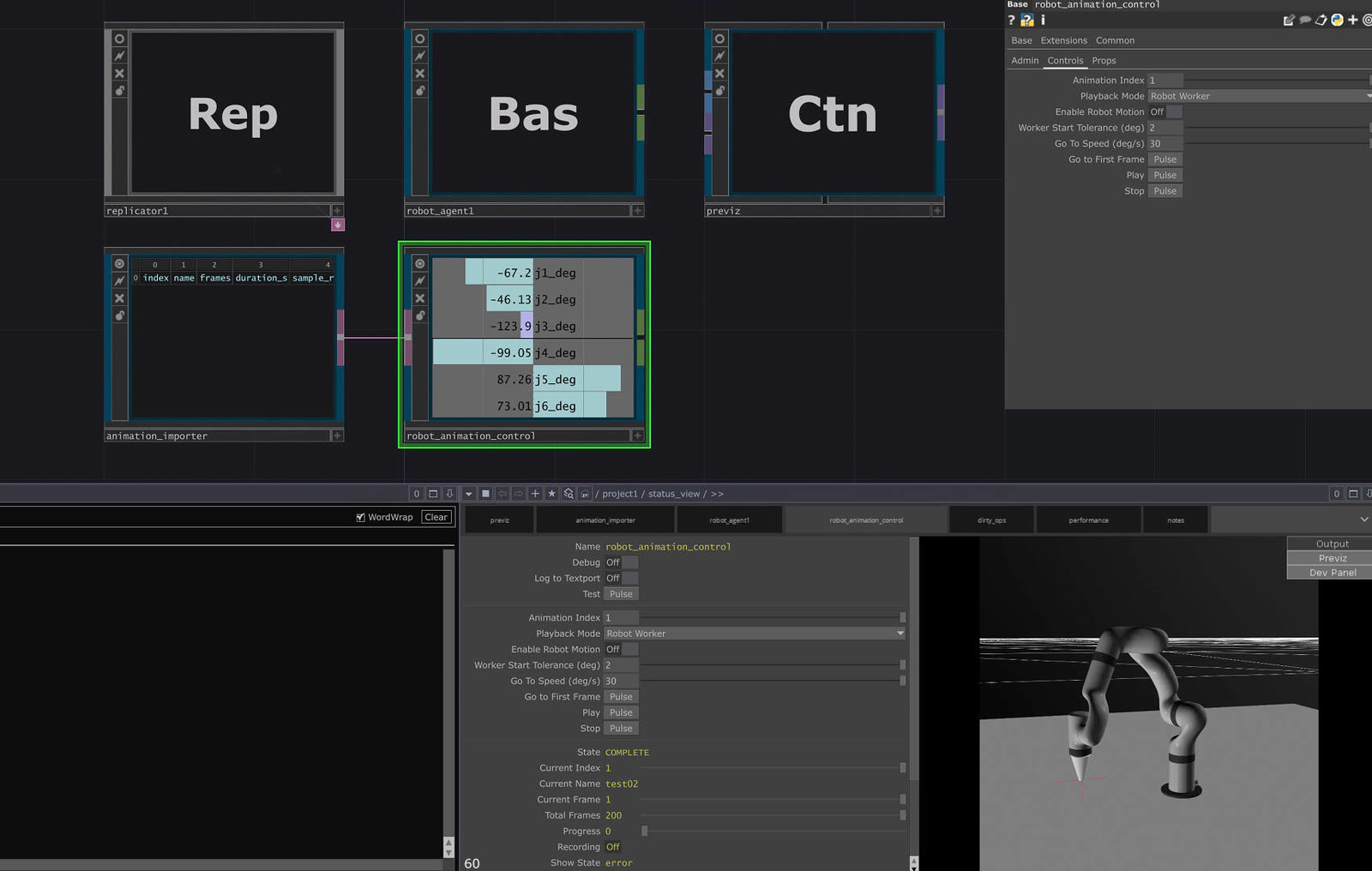
A robot simulator shows the arm on an empty grid. This twin shows the move against the show's own visuals.
The live joint angles come back into TouchDesigner as a 3D rig, in the same scene as the LED content, the particles and the show camera. The arm stops being a separate discipline and becomes another element in a scene the studio already lights, composites and cues.
The control center
Moves are authored in Blender, limit-checked on export, and imported as an indexed library. Each one can play two ways: on the twin alone as preview, or on the hardware through the Go worker with the twin tracking it live.
Measured on a real playback, the worker holds an effective send rate of 99.972 Hz against its 100 Hz target.
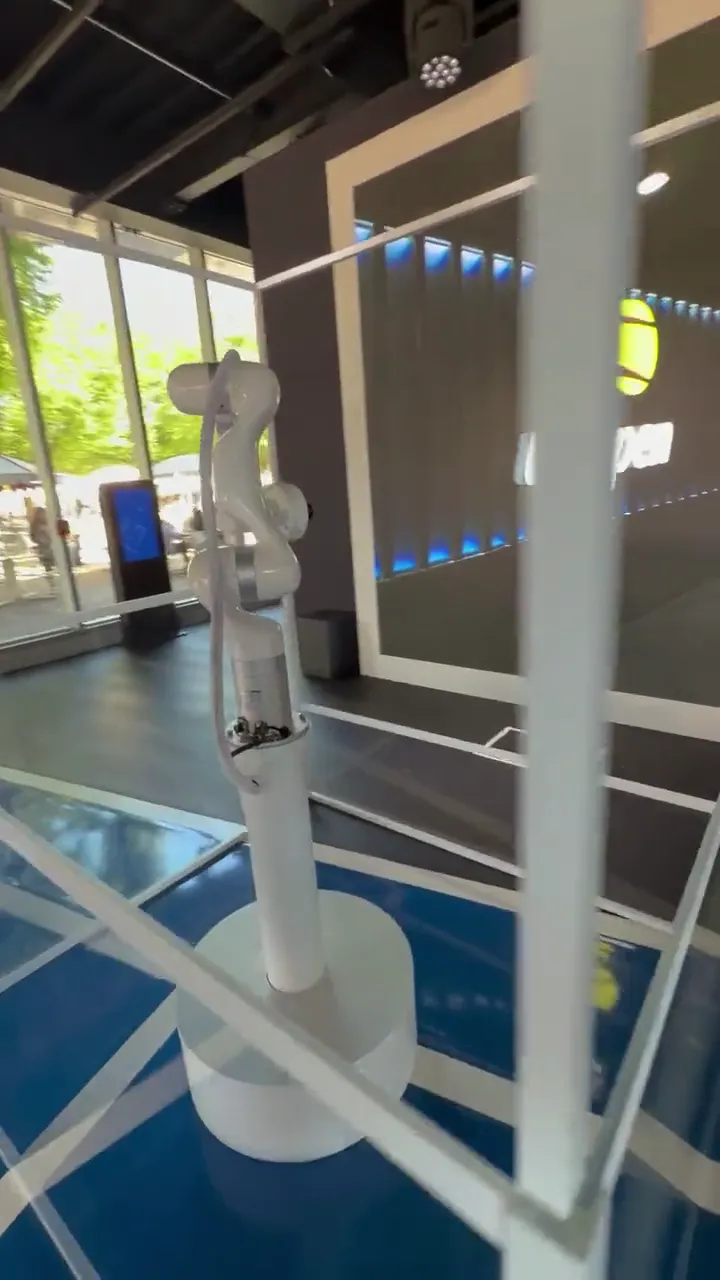
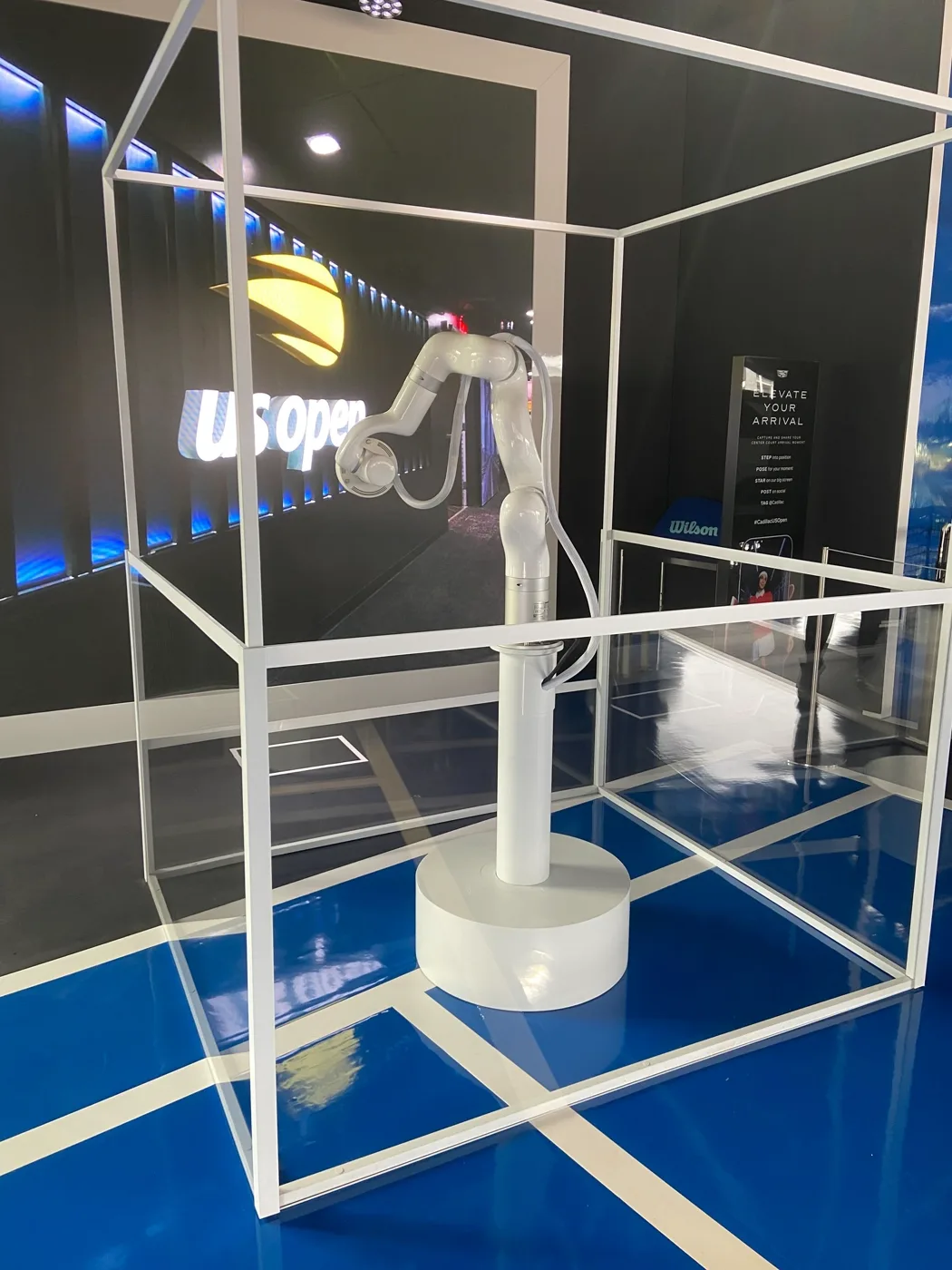
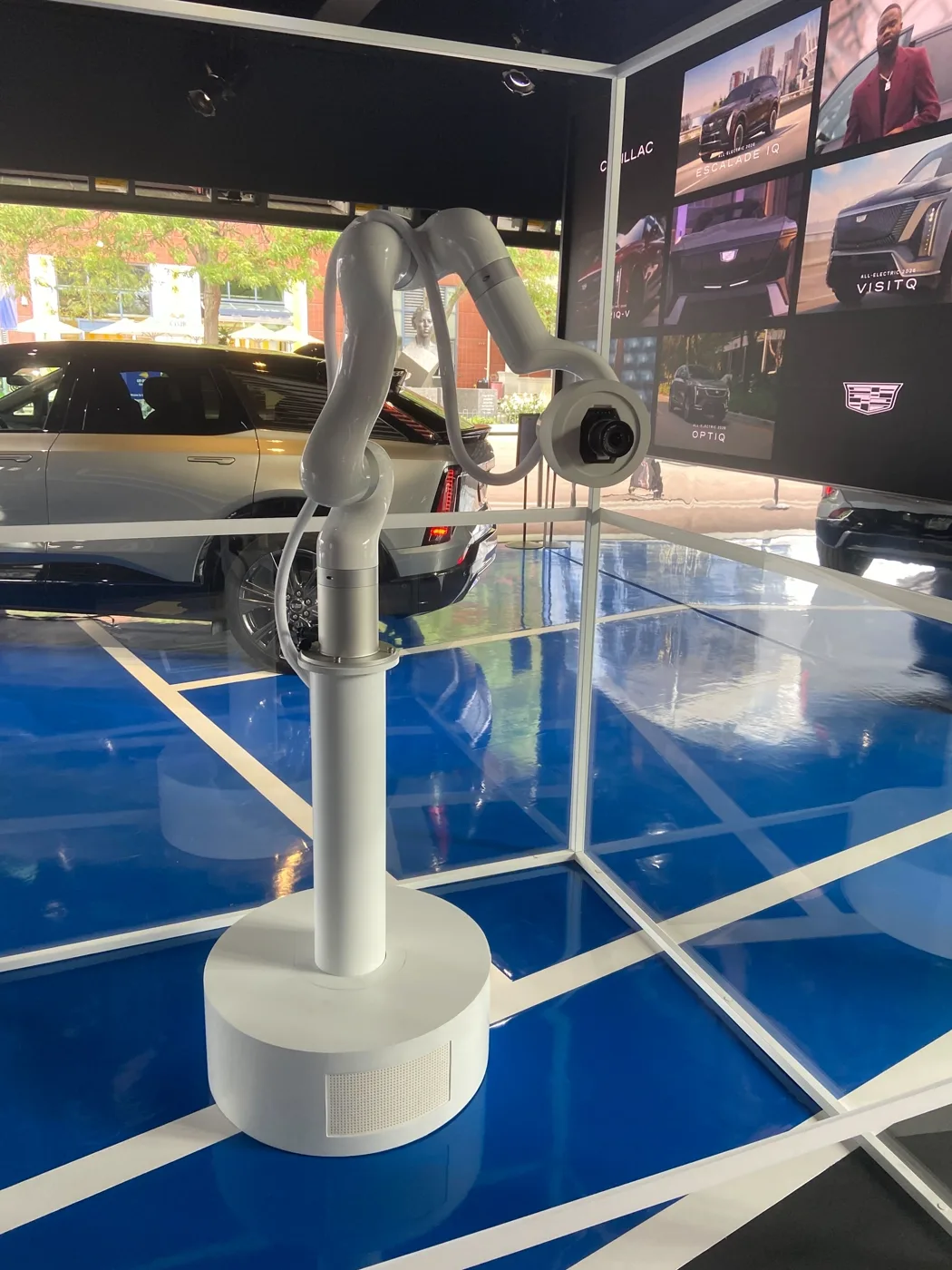
At the 2026 US Open the library holds four moves cut for different standing heights, and an iPad picks between them between guests.
Timing
TouchDesigner's Python shares the main thread with the rest of the show, so playback drifts under load.
So the clock moved out: a Go worker owns playback timing and the command socket, TouchDesigner keeps previz and cueing. The case that took longest to get right was not a crash. It was a crash with the arm still moving, so the worker holds a 3s lease and stops the arm itself if TouchDesigner goes quiet.
Where it came from
This is the second version of an older tool. The first was Robot Twin, and it exists because a fluid simulation needed the arm's motion: on the Astral Twin fluid editions the paint was driven by where the arm was, so something had to hand the visuals a reliable, live answer to that question.
Robot Twin did it by rigging the arm in TouchDesigner, taking joint rotations live, and solving the tool's XYZ out of the rig rather than asking the controller for it.
Implementation
- Timing — velocity-continuous 100 Hz retime; clips over velocity or acceleration limits are slowed uniformly, never clamped per joint
- Transport — Modbus TCP, Mode 1 ServoJ; one motion-command owner: TouchDesigner hands its socket to the worker
- Show control — operator UI, iPad and StreamDeck cueing, Prometheus metrics
- Role
- Creator and lead engineer
- Team
- iPad web control and parts of the control stack, Matt Ross
- Built with
- TouchDesigner · Go · Python · Modbus TCP · Prometheus
- Robot
- UF850
- Status
- Active. Running the Cadillac photo booth at the 2026 US Open.
- Authoring
- xArm Blender Animation, rig setup, limit validation, CSV export · Houdini Robot Toolkit, the curve-driven route to the same CSV
- Sibling
- Motion-Core, the multi-robot, sim-gated path to the same hardware
- Source
- Company-owned and private. This page describes architecture and engineering decisions, not implementation.